Stardex limits you to 50 bulk recipients at a time to protect your emails from landing in spam! We also drip send the messages roughly every 15 seconds. Contact support if you have any questions.
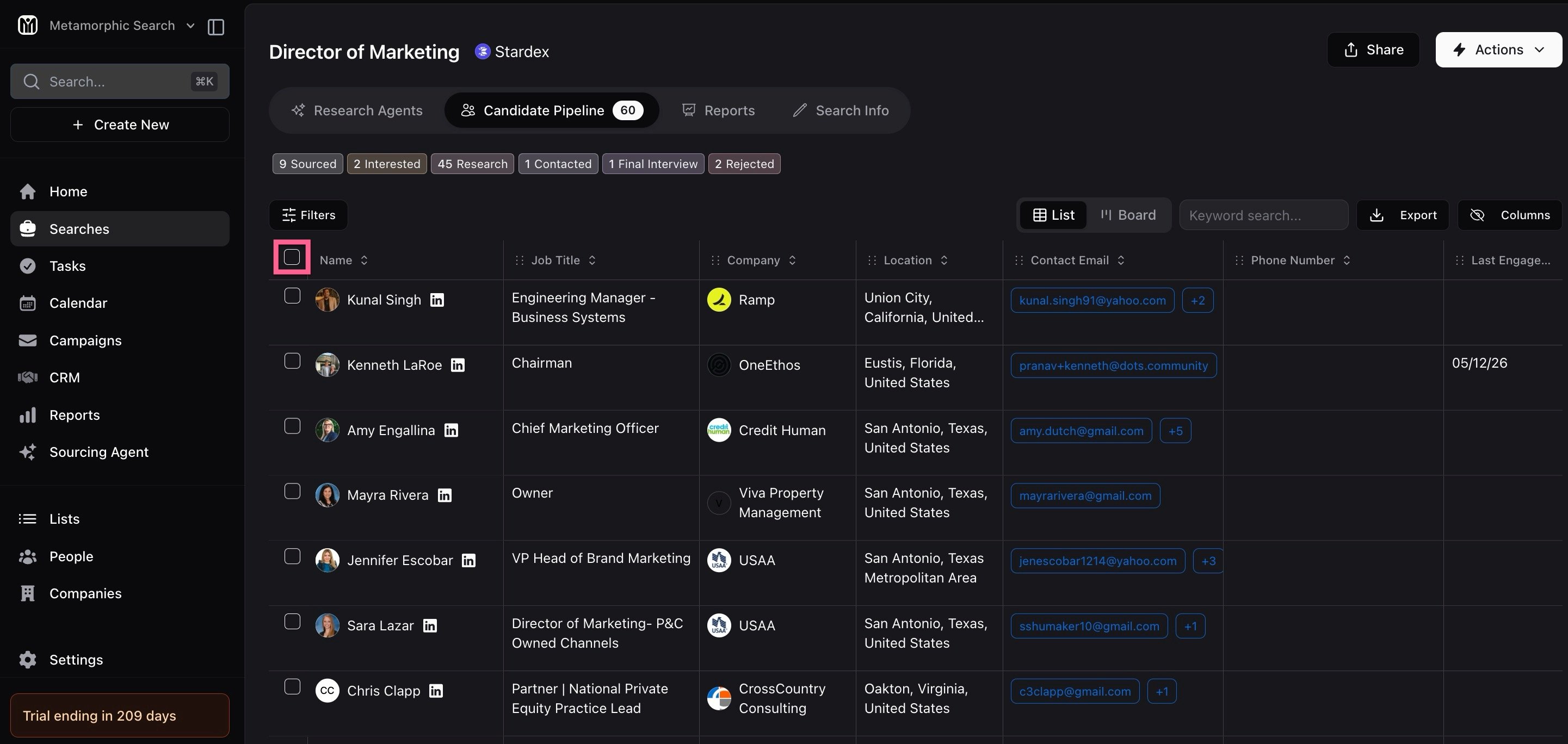
- Click the selector button at the top of the table:
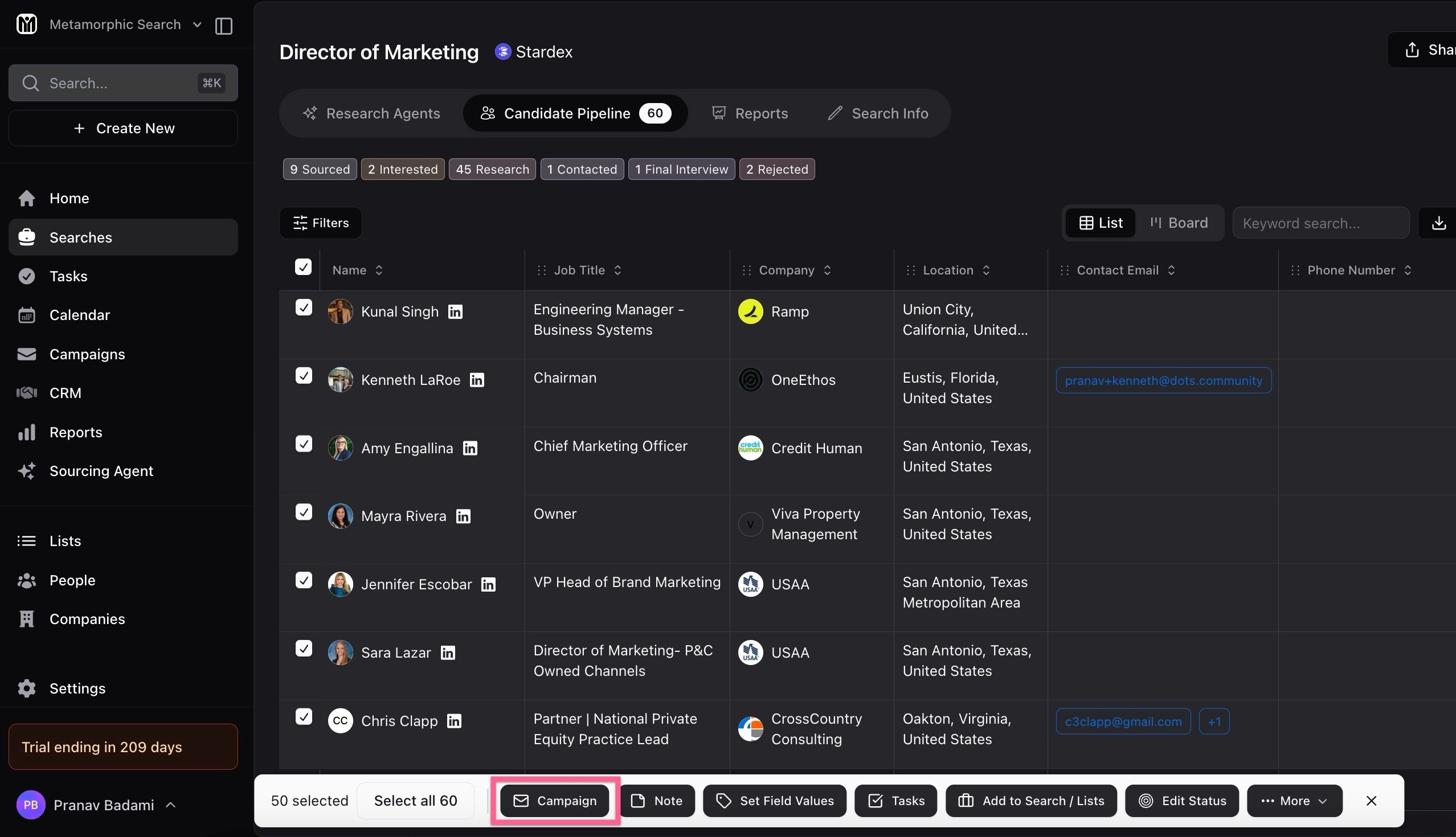
- Click Campaign in the selection bar at the bottom:
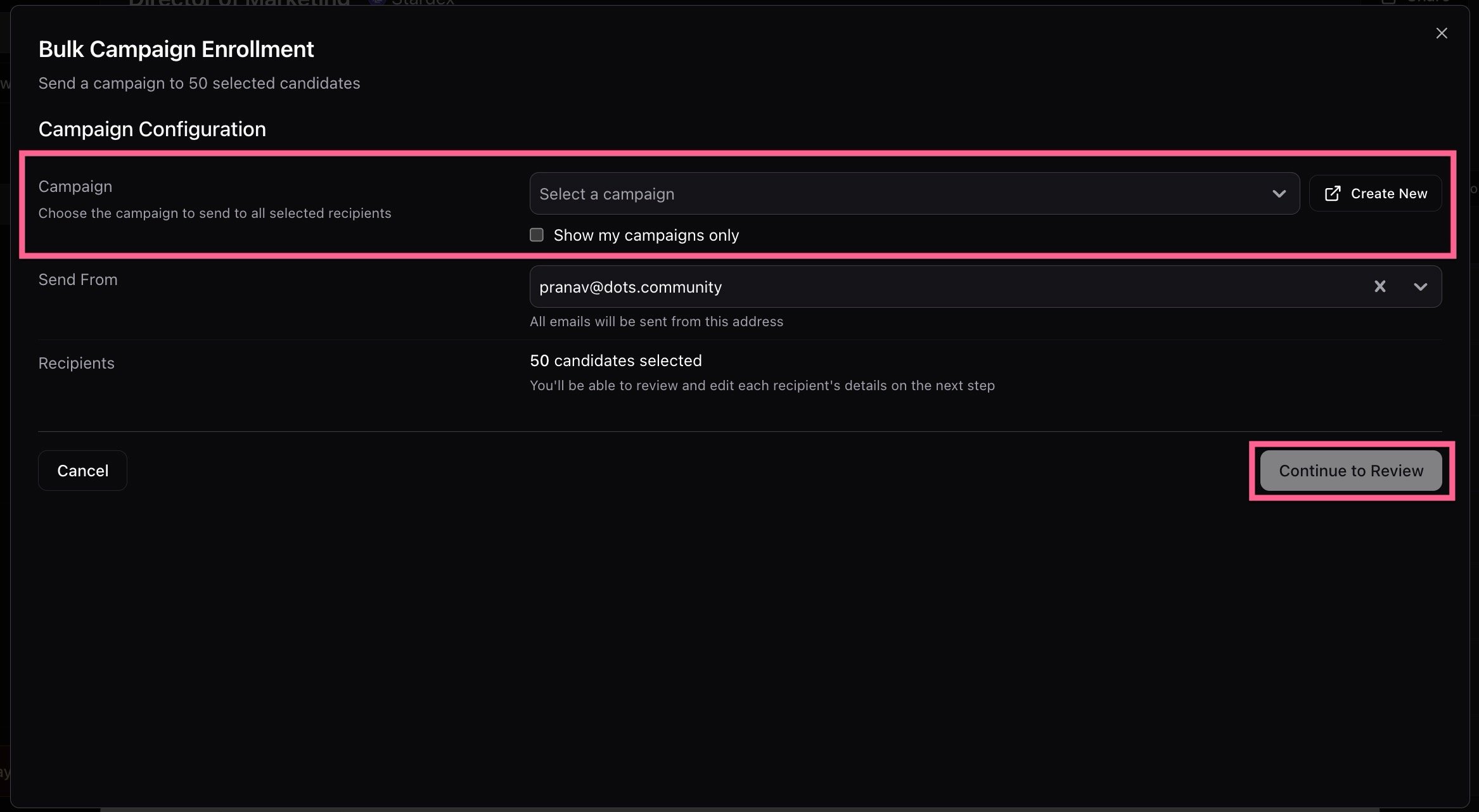
- In the Bulk Campaign Enrollment popup window, select your Campaign, and then click Continue to Review:
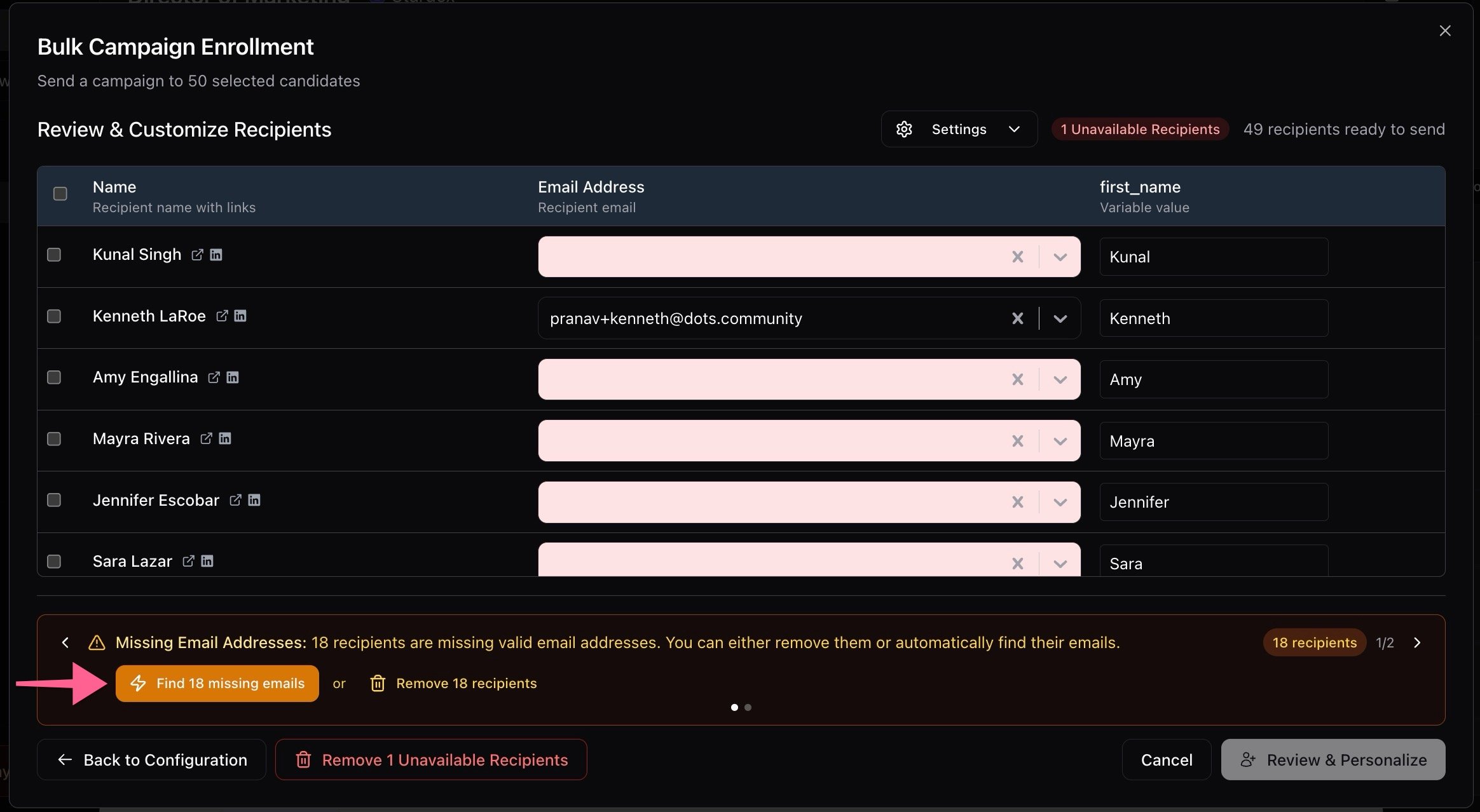
- On the Review & Customize Recipients page, click “Find missing emails” and the system will automatically fetch the emails for you:
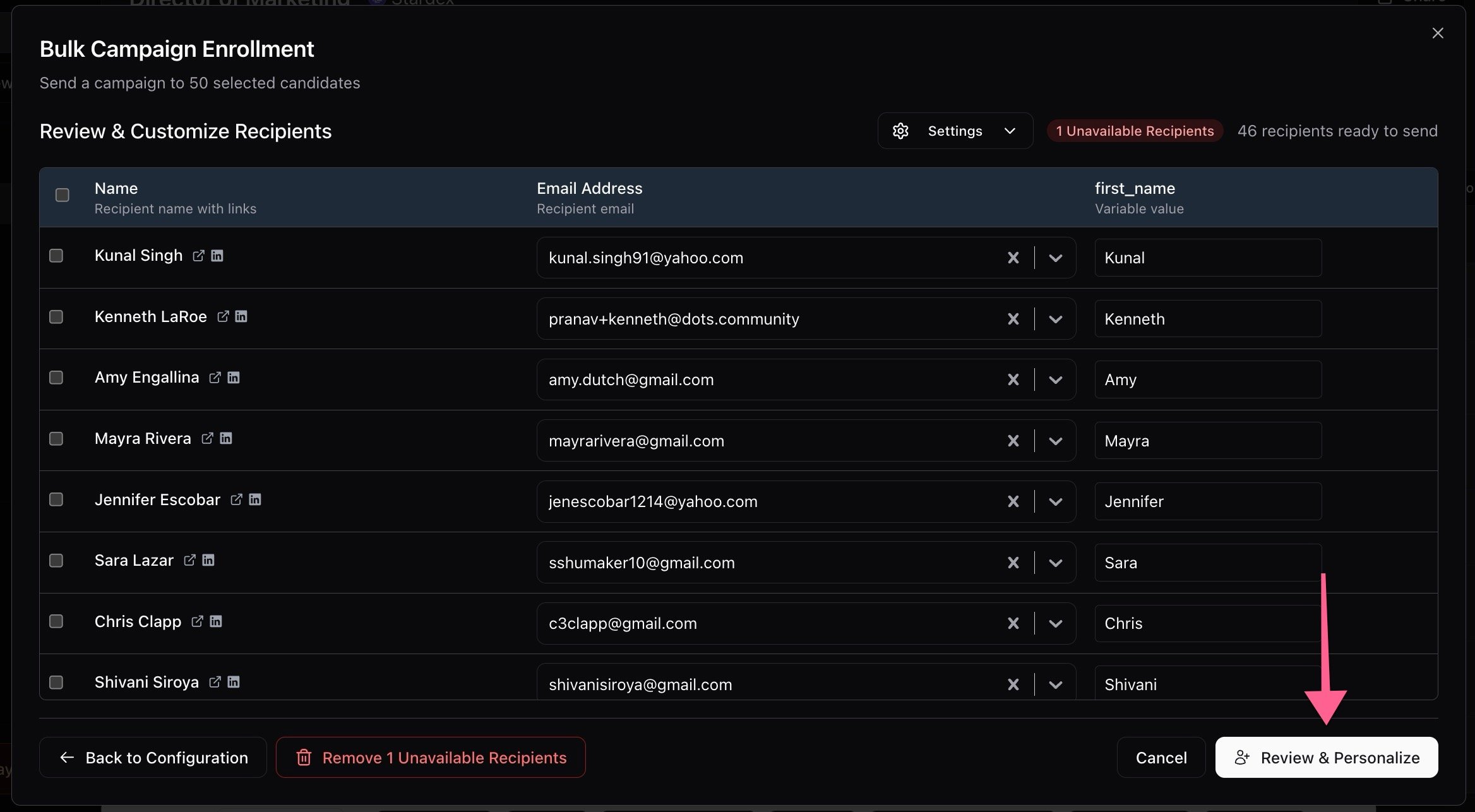
- Once the missing emails have been found, click Review & Personalize:
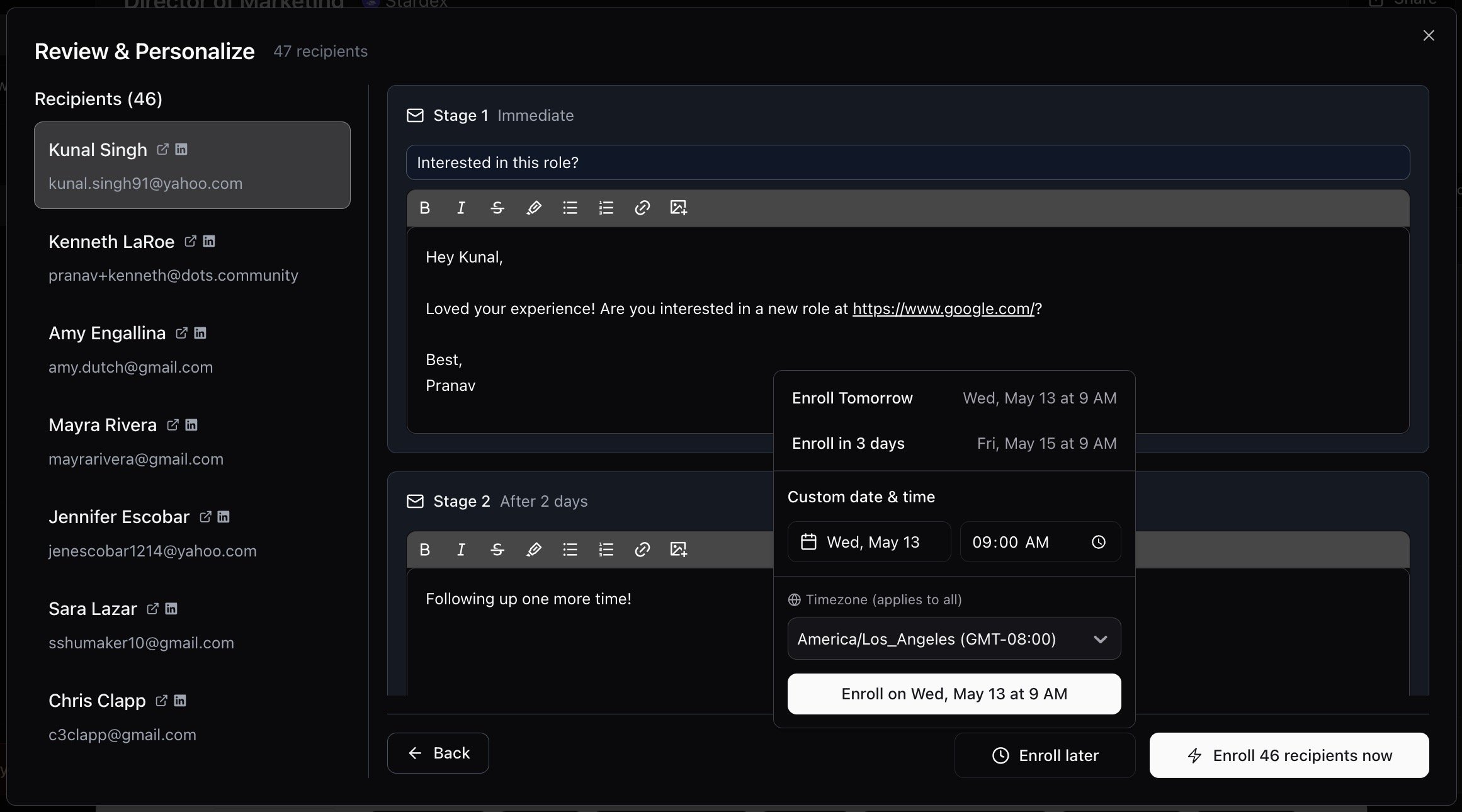
- Finally, you can review all the emails that are about to be sent out, make any changes you want, and then click Enroll Now! If you want to schedule the first email / step to go out at a later time / date, click Enroll Later and pick the appropriate time.