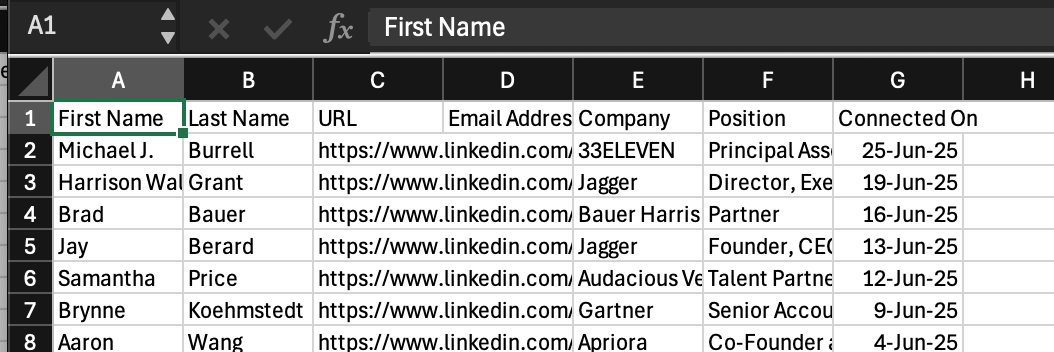
Stardex provides a natural language search interface on top of your linkedin connections. It can go deeper into their work experience as well. We first need to import the linkedin connections. You will need to download a backup of your linkedin connections, and then use our bulk importer to import the profiles.
  1. Head to https://www.linkedin.com/mypreferences/d/download-my-data. Click Download larger data archive, and click Request Archive
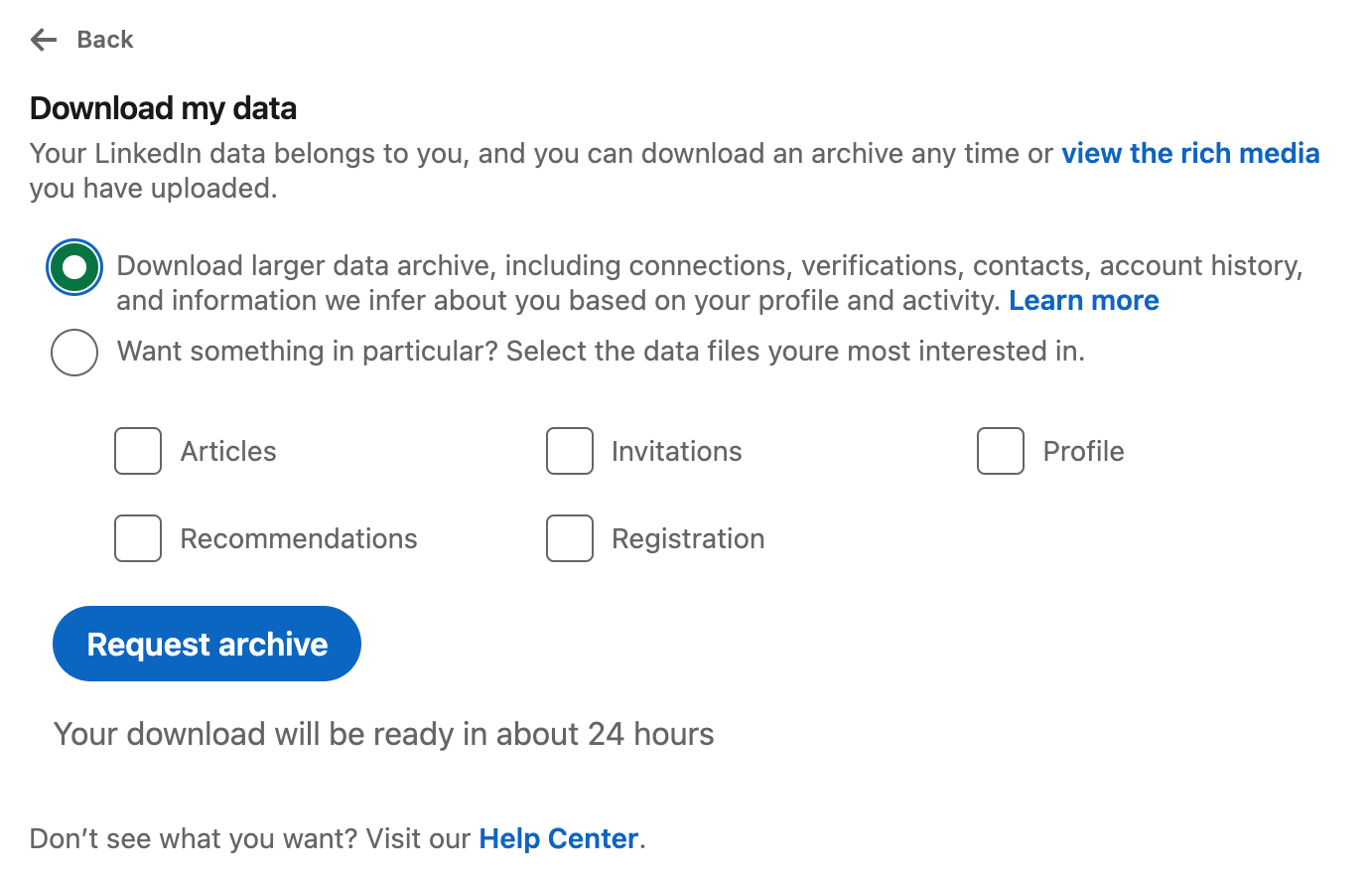
Importing your LinkedIn connections — screenshot 1
  1. When you get the archive, there should be a connections csv file. Open that.
  2. If the CSV contains extra text on row 1,2 and 3. Delete those rows.
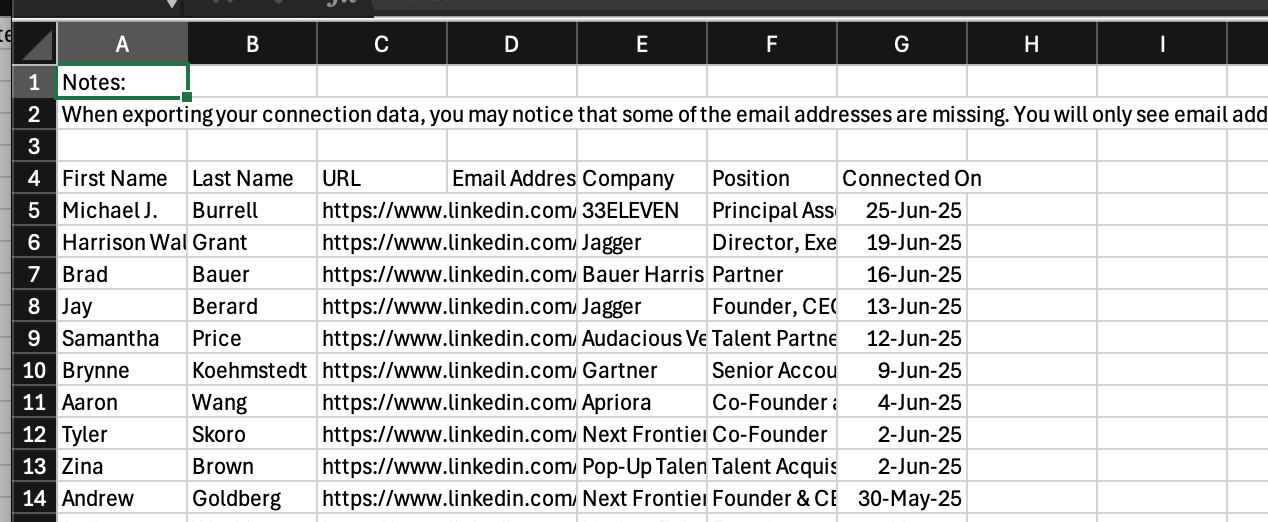
Importing your LinkedIn connections — screenshot 2 this way, the first row is the header row Importing your LinkedIn connections — screenshot 3
Ensure you save it as a CSV. Uploading an XLSX or PDF won’t work with bulk uploader here.
  1. Head to Stardex people tab - https://stardex.com/people. Click Add → Bulk import
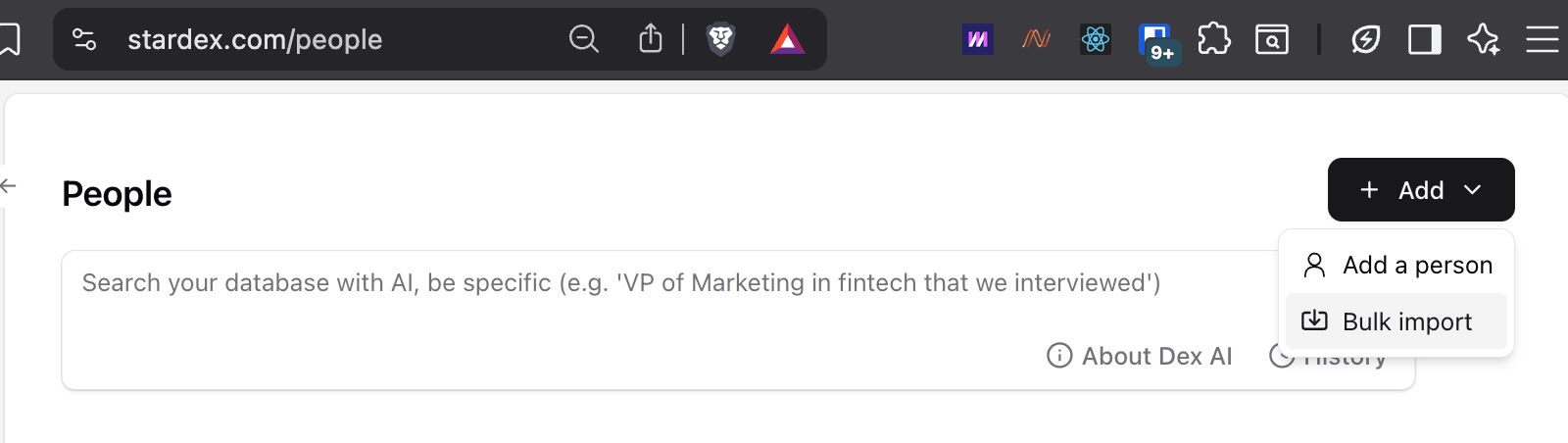
Importing your LinkedIn connections — screenshot 4
  1. Upload the file, and click Continue with no job
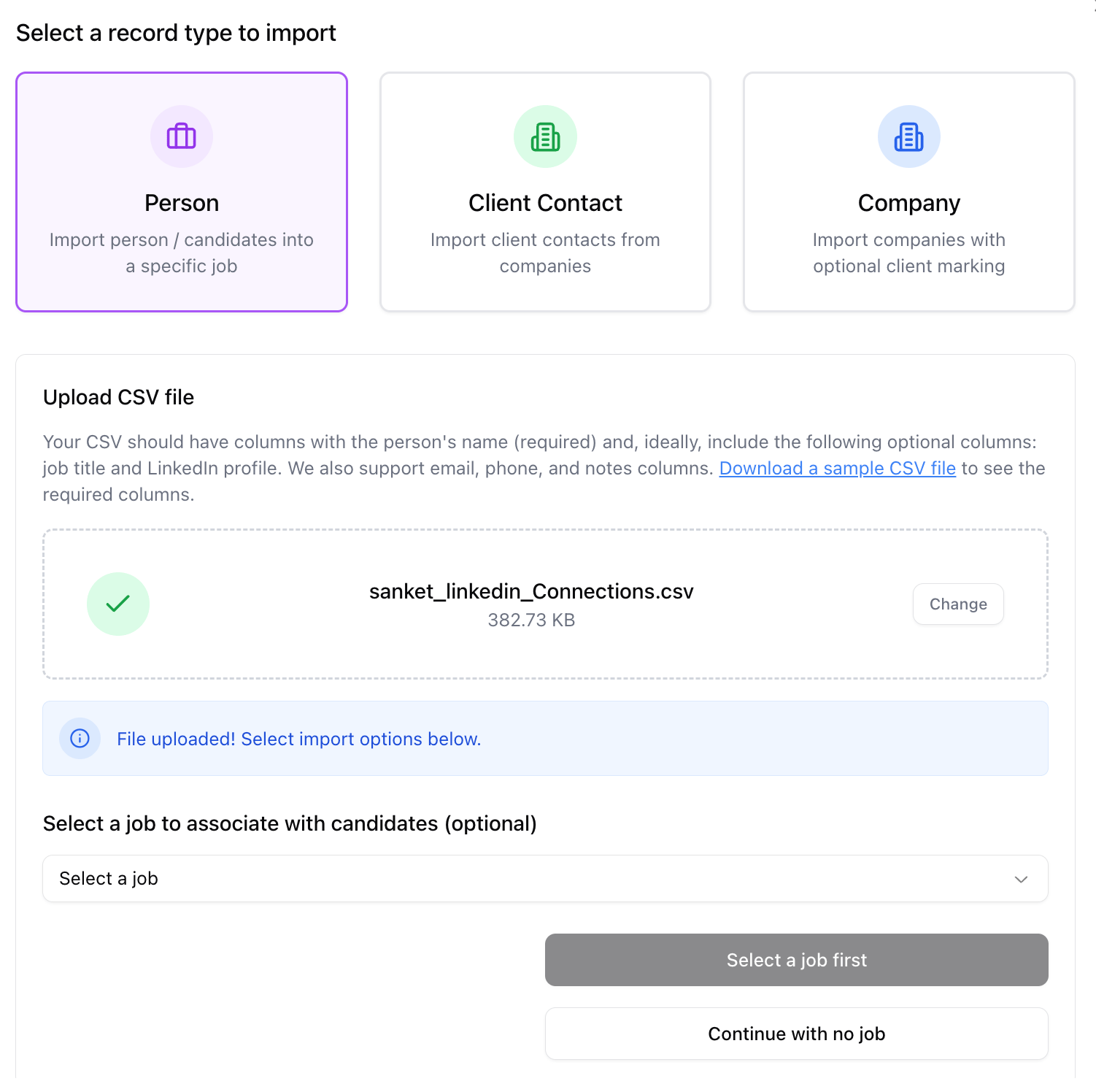
Importing your LinkedIn connections — screenshot 5
  1. Ensure the mapping looks as expected, and then click Import. For linkedin connection imports, you won’t be charged the cost, so keep the boxed check. You can click Continue with enrichment in the modal. You won’t be charged more
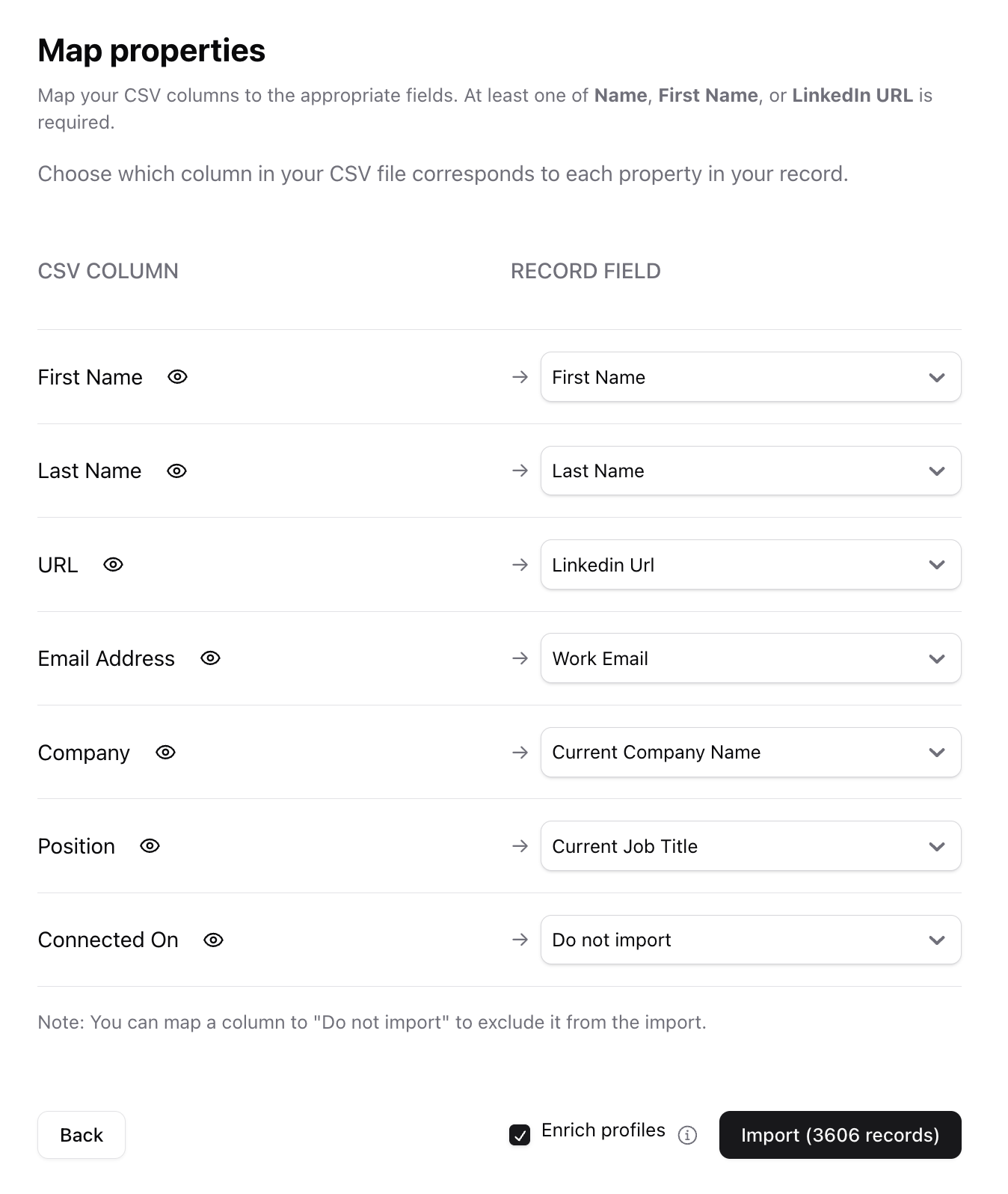
Importing your LinkedIn connections — screenshot 6 Depending on the size of your connection list, it can take anywhere from 5 to 20 mins to fully finish.