

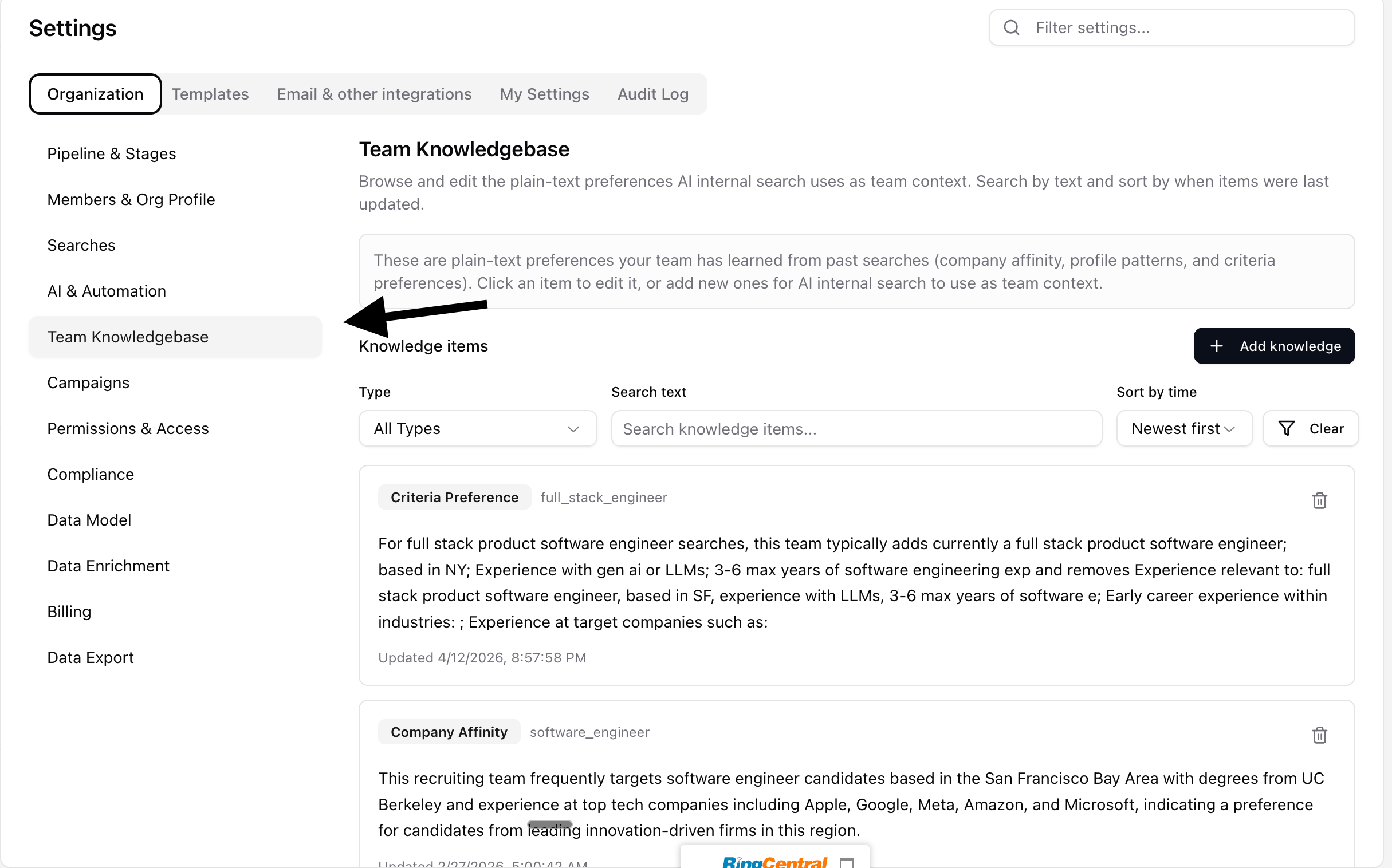
- Click “Add Knowledge”
-
There’s three types of items
-
Criteria Preference: Rules about what to prioritize, require, or deprioritize in a search. Great for adding in “must haves” that are frequently used on searches
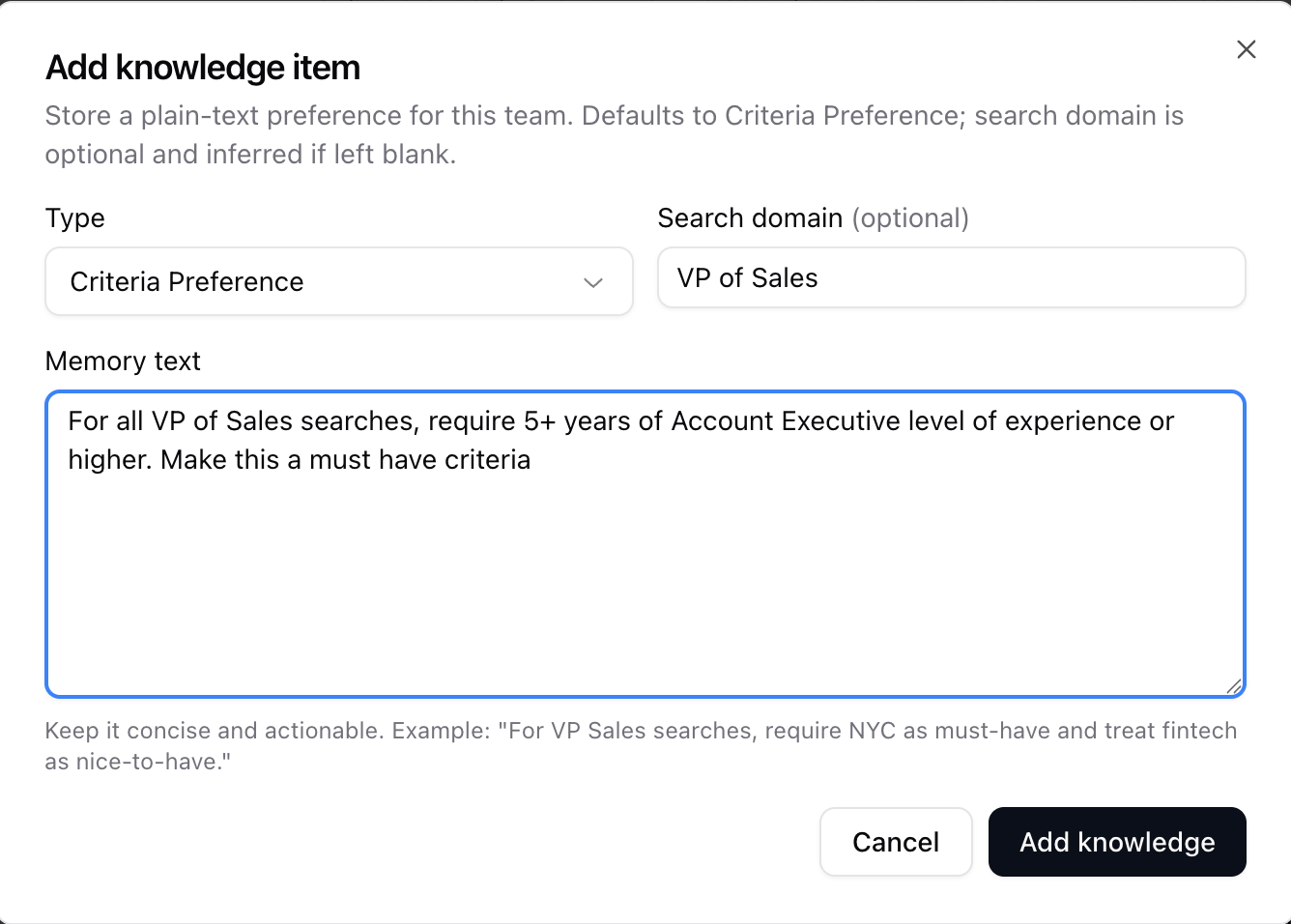
-
Profile Pattern: Traits or experience patterns commonly found in strong candidates.
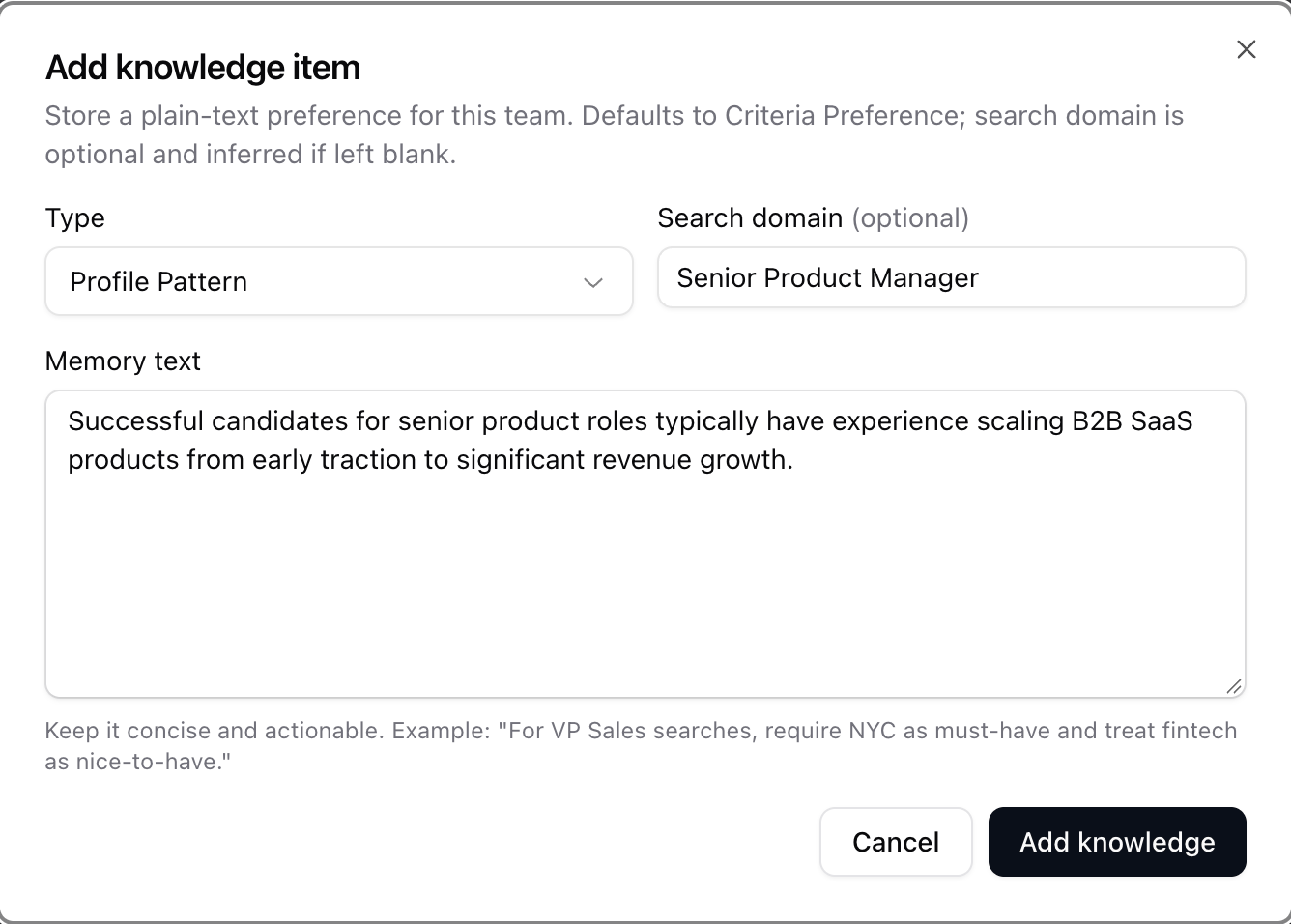
-
Company Affinity: Companies, industries, or business characteristics your team considers especially relevant.
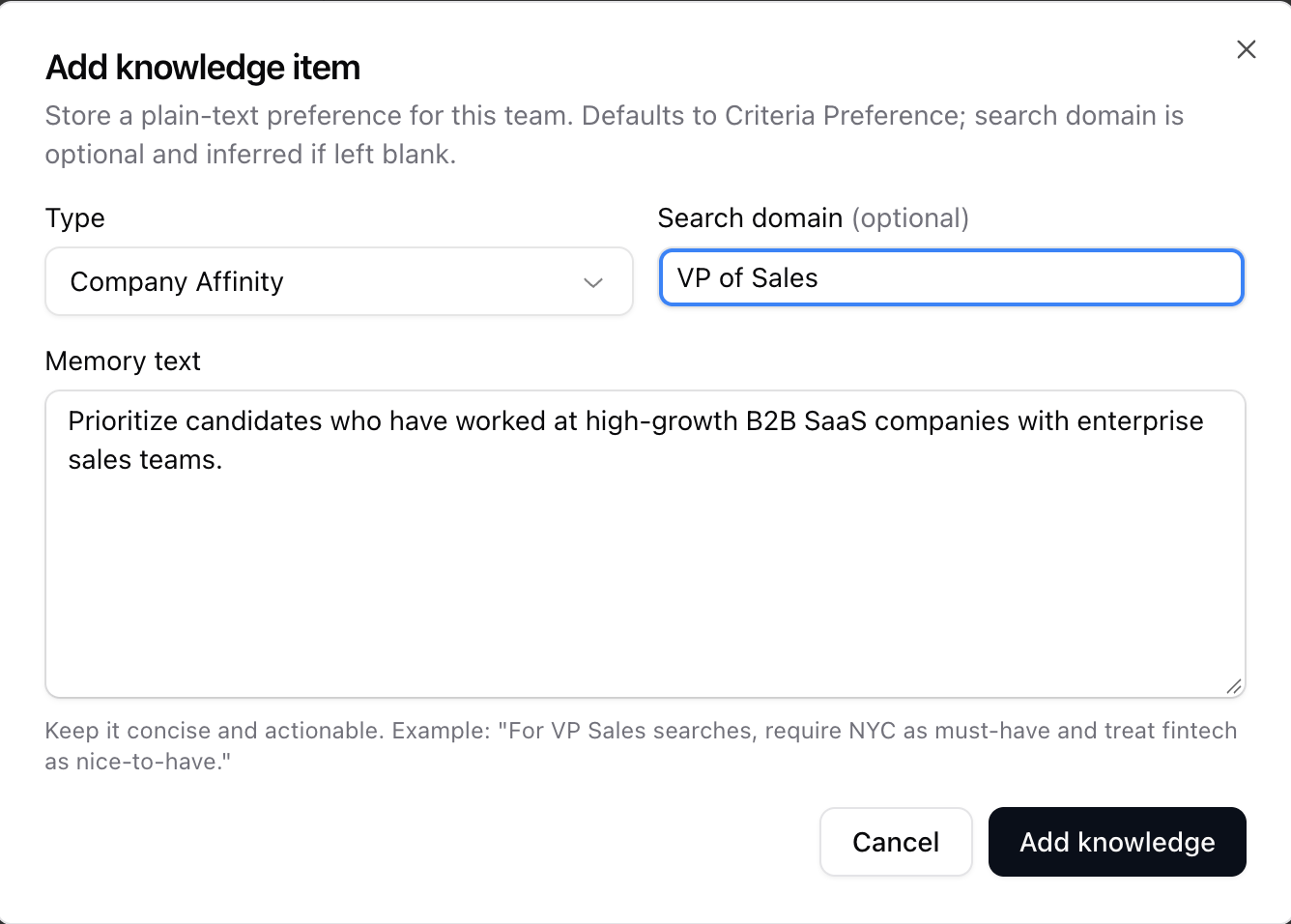
-
Criteria Preference: Rules about what to prioritize, require, or deprioritize in a search. Great for adding in “must haves” that are frequently used on searches
- Stardex will then feed this information into all the future prompting for Ask Dex and Our Research Agents