> ## Documentation Index
> Fetch the complete documentation index at: https://docs.stardex.com/llms.txt
> Use this file to discover all available pages before exploring further.
# Target companies
> Build target-company lists for a search and use them to guide candidate sourcing.
Target companies give you a way to keep a track of companies that you want to target as part of a search. Think of it as a better way of organizing the information compared to a spreadsheet, and sharing the updates with the client.
 What it is useful for?
* Organize the information within a job so you don’t have to maintain a separate spreadsheet
* Share it with the client in terms of calibration, and updates on the exhaustiveness of the process
* Track the coverage automatically as it’s synced with the job (i.e. how many people do you have in your job pipeline that currently work there, or used to work there)
What it can’t do:
* It won’t search for people at those companies that aren’t in your database yet.
**Adding companies (using two methods)**
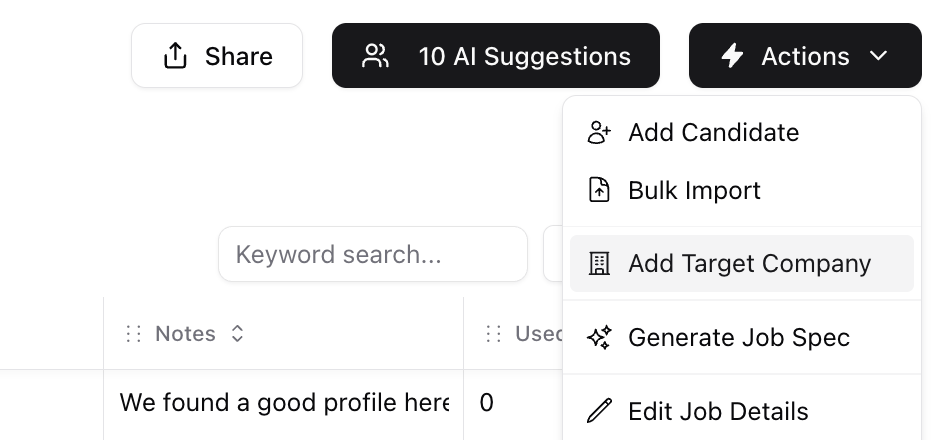
1. You can add a Target company by clicking Actions on a job and then Add Target Company
2. You can also use the chrome extension when you are on a linkedin company page to add them as a target company for a job.
What it is useful for?
* Organize the information within a job so you don’t have to maintain a separate spreadsheet
* Share it with the client in terms of calibration, and updates on the exhaustiveness of the process
* Track the coverage automatically as it’s synced with the job (i.e. how many people do you have in your job pipeline that currently work there, or used to work there)
What it can’t do:
* It won’t search for people at those companies that aren’t in your database yet.
**Adding companies (using two methods)**
1. You can add a Target company by clicking Actions on a job and then Add Target Company
2. You can also use the chrome extension when you are on a linkedin company page to add them as a target company for a job.
 **Understanding the list:**
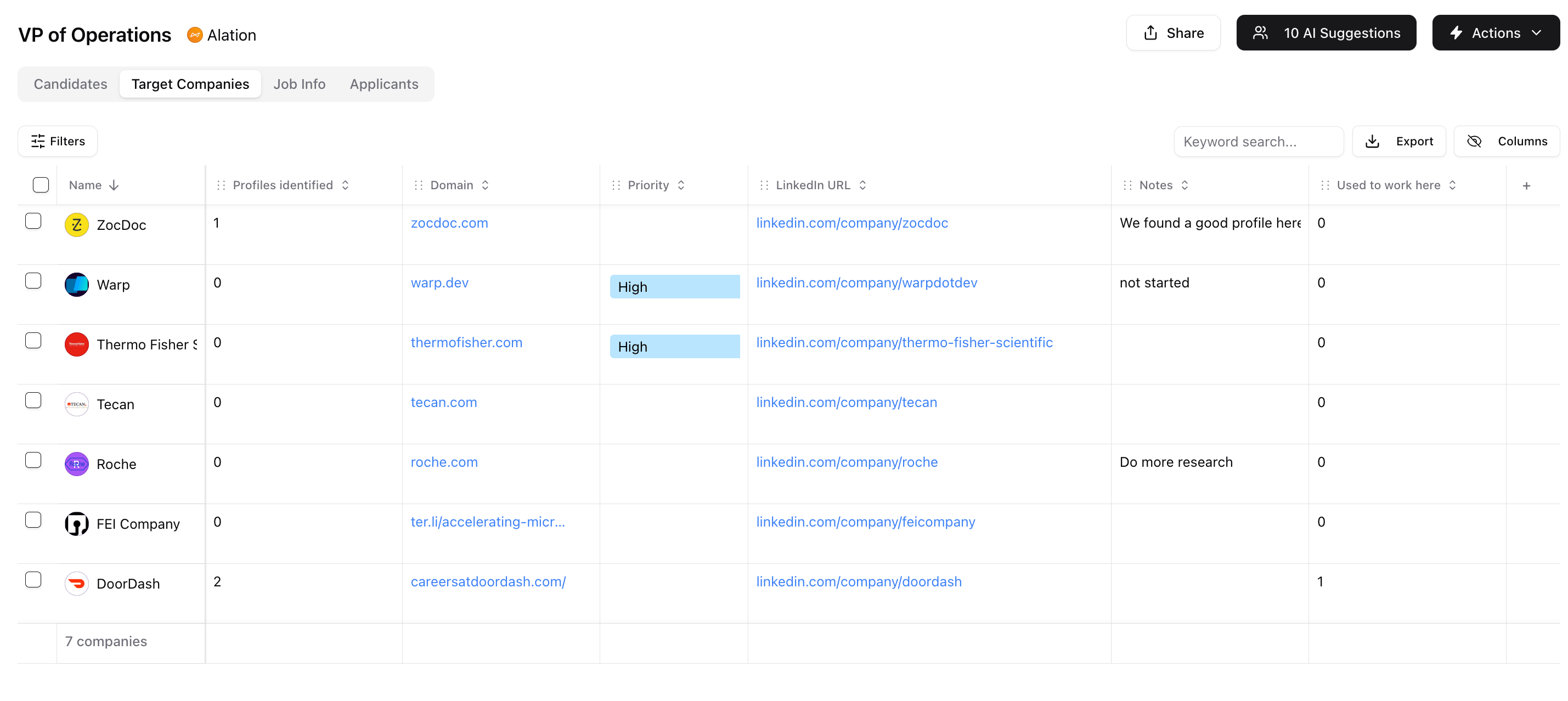
As you start adding companies you will see three columns, Profiles identified (people that are in the pipeline that work there), Used to work there, and Notes (free hand notes add anything). You can also add a custom column here just like other sheets to add diff items (e.g. status, priority etc).
**Can I share this with the client?**
We recommend sending a screenshot to the client. Currently there isn’t a way to share a link, but it is on our roadmap to support this.
This documentation is built and hosted on [Mintlify](https://mintlify.com), a developer documentation platform.
**Understanding the list:**
As you start adding companies you will see three columns, Profiles identified (people that are in the pipeline that work there), Used to work there, and Notes (free hand notes add anything). You can also add a custom column here just like other sheets to add diff items (e.g. status, priority etc).
**Can I share this with the client?**
We recommend sending a screenshot to the client. Currently there isn’t a way to share a link, but it is on our roadmap to support this.
This documentation is built and hosted on [Mintlify](https://mintlify.com), a developer documentation platform.