> ## Documentation Index
> Fetch the complete documentation index at: https://docs.stardex.com/llms.txt
> Use this file to discover all available pages before exploring further.
# Syncing LinkedIn Messages into Stardex
> Sync LinkedIn messages and Recruiter InMail conversations to candidate and client contact activities.
With the Stardex Chrome extension, you can sync regular LinkedIn DMs and LinkedIn InMails from Recruiter into Stardex.
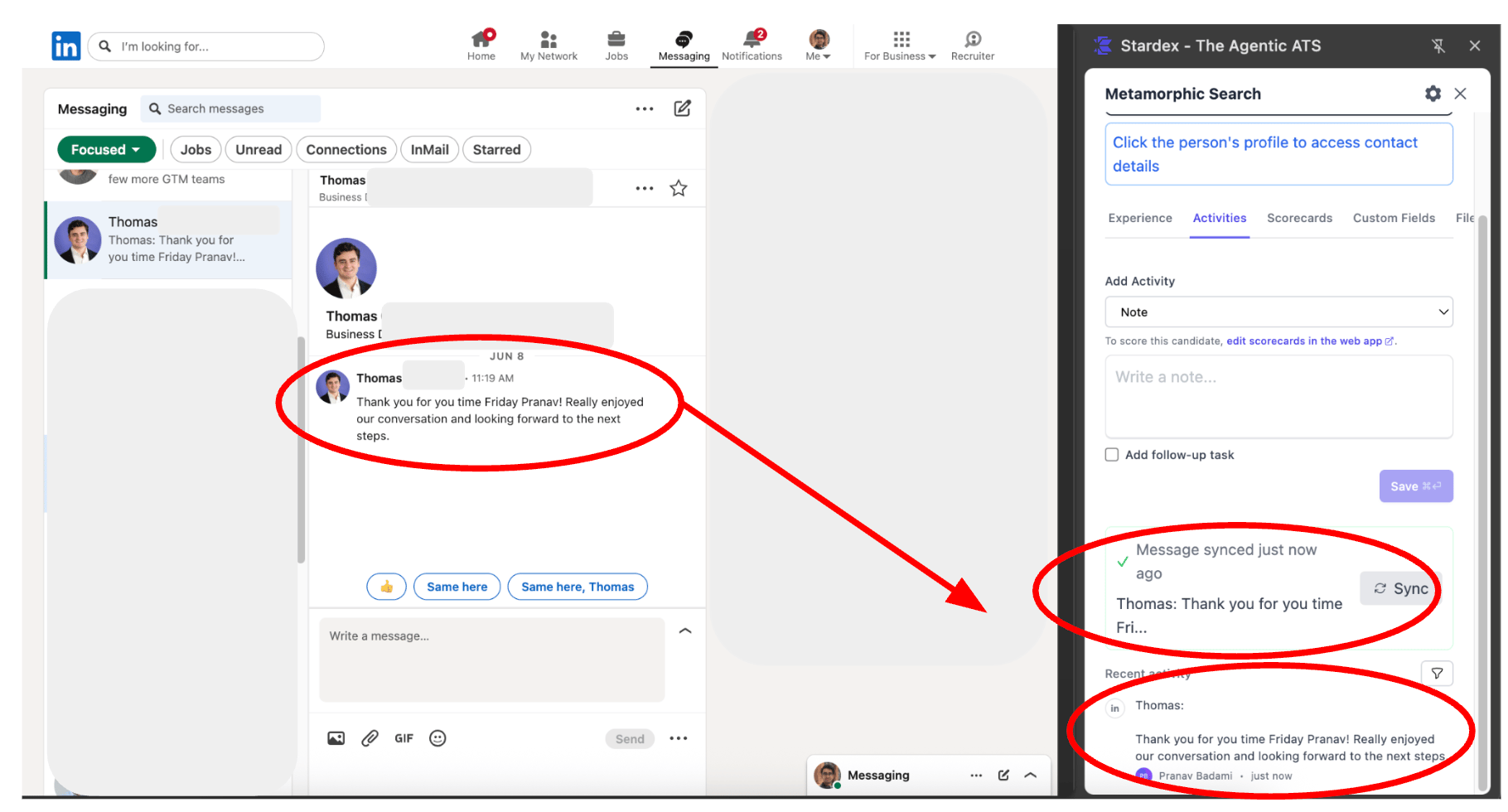
When you have the LinkedIn DM inbox open (the inbox view you see at [https://www.linkedin.com/messaging](https://www.linkedin.com/messaging)), Stardex will detect if you are on a thread with a candidate in your database and automatically sync messages! You don’t need to click on anything. If you click on “Activities”, you will see the latest messages synced. These will get synced in as activities of type “LinkedIn Message” and “LinkedIn Message Response” in Stardex.
> 💡 NOTE: You must be on a thread in the LinkedIn DM inbox like shown below with the Stardex extension open. Please go here: [https://www.linkedin.com/messaging](https://www.linkedin.com/messaging) and then select a thread with a candidate or client contact in your database.
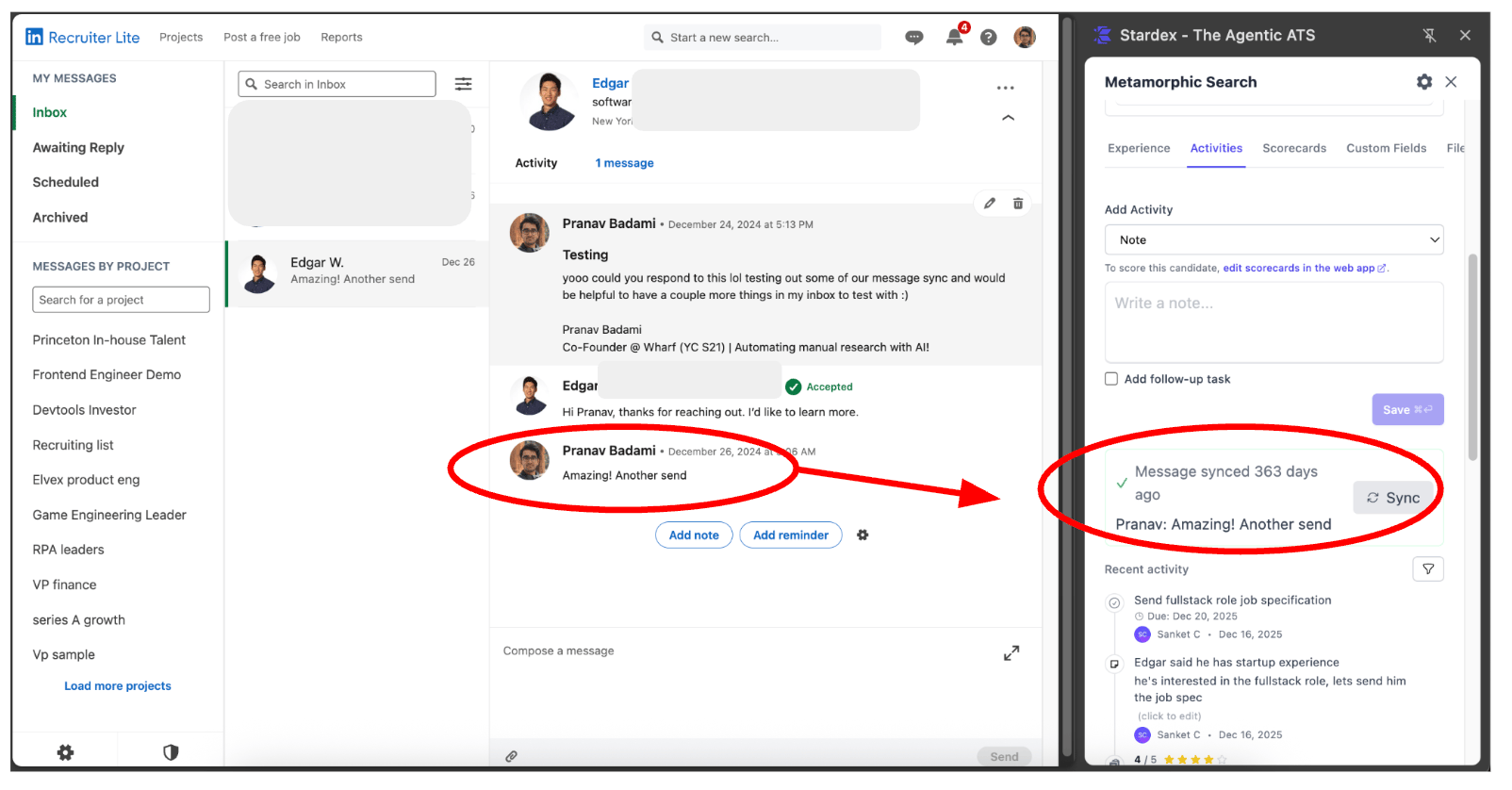
 When you have the LinkedIn Recruiter InMail inbox open (the inbox view you see at [https://www.linkedin.com/talent/inbox](https://www.linkedin.com/talent/inbox)), Stardex will detect if you are on a thread with a candidate in your database and automatically sync messages! You don’t need to click on anything. If you click on “Activities”, you will see the latest messages synced.
> 💡 NOTE: You must be on a thread in the LinkedIn Recruiter InMail inbox like shown below with the Stardex extension open. Please go here: [https://www.linkedin.com/talent/inbox](https://www.linkedin.com/talent/inbox) and then select a thread with a candidate or client contact in your database.
When you have the LinkedIn Recruiter InMail inbox open (the inbox view you see at [https://www.linkedin.com/talent/inbox](https://www.linkedin.com/talent/inbox)), Stardex will detect if you are on a thread with a candidate in your database and automatically sync messages! You don’t need to click on anything. If you click on “Activities”, you will see the latest messages synced.
> 💡 NOTE: You must be on a thread in the LinkedIn Recruiter InMail inbox like shown below with the Stardex extension open. Please go here: [https://www.linkedin.com/talent/inbox](https://www.linkedin.com/talent/inbox) and then select a thread with a candidate or client contact in your database.
 To stop auto-sync, turn on **Disable message sync** under **Settings → My Settings → Browser Extension**. Admins can lock this off for everyone from **Settings → Organization → Compliance → Chrome Extension Settings**. See [Extension settings](/help-center/extension-settings).
This documentation is built and hosted on [Mintlify](https://mintlify.com), a developer documentation platform.
To stop auto-sync, turn on **Disable message sync** under **Settings → My Settings → Browser Extension**. Admins can lock this off for everyone from **Settings → Organization → Compliance → Chrome Extension Settings**. See [Extension settings](/help-center/extension-settings).
This documentation is built and hosted on [Mintlify](https://mintlify.com), a developer documentation platform.