> ## Documentation Index
> Fetch the complete documentation index at: https://docs.stardex.com/llms.txt
> Use this file to discover all available pages before exploring further.

# Gemini Google Connector

> Connect Gemini to Stardex through the Google connector setup.

<Note>
  This currently requires a personal Google account. It won’t work on your Google work account
</Note>

1. Goto [https://gemini.google.com/u/1/apps](https://gemini.google.com/u/1/apps) and click Custom APps
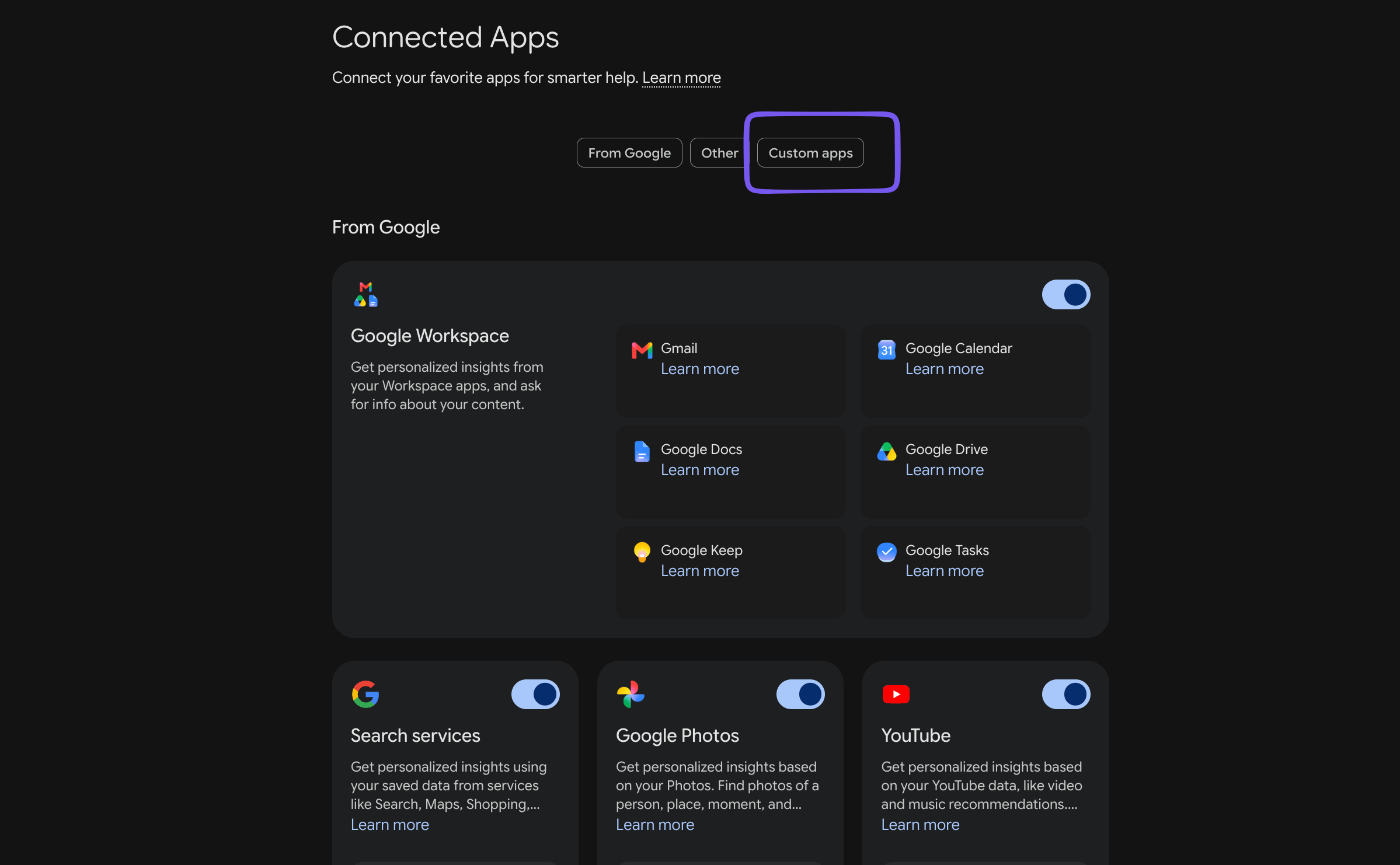
<img src="https://mintcdn.com/stardex/LiN_s-_qZshmFef5/images/help-center/gemini-google-connector/image.png?fit=max&auto=format&n=LiN_s-_qZshmFef5&q=85&s=6a93ac5097cca9113d39120da3b2d710" alt="Gemini Google Connector — screenshot 1" width="2398" height="1482" data-path="images/help-center/gemini-google-connector/image.png" />

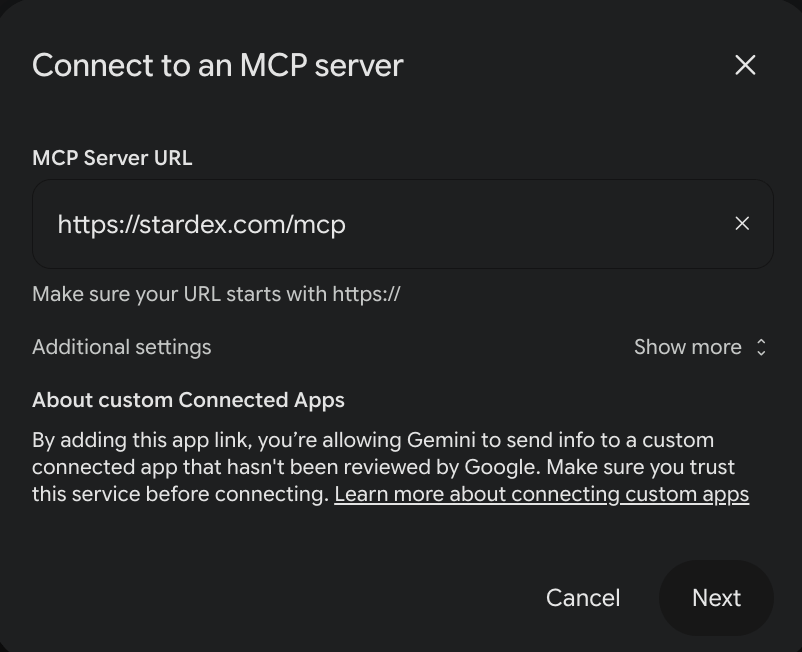
2. Scroll to Custom Apps and enter the url - [https://stardex.com/mcp](https://stardex.com/mcp)
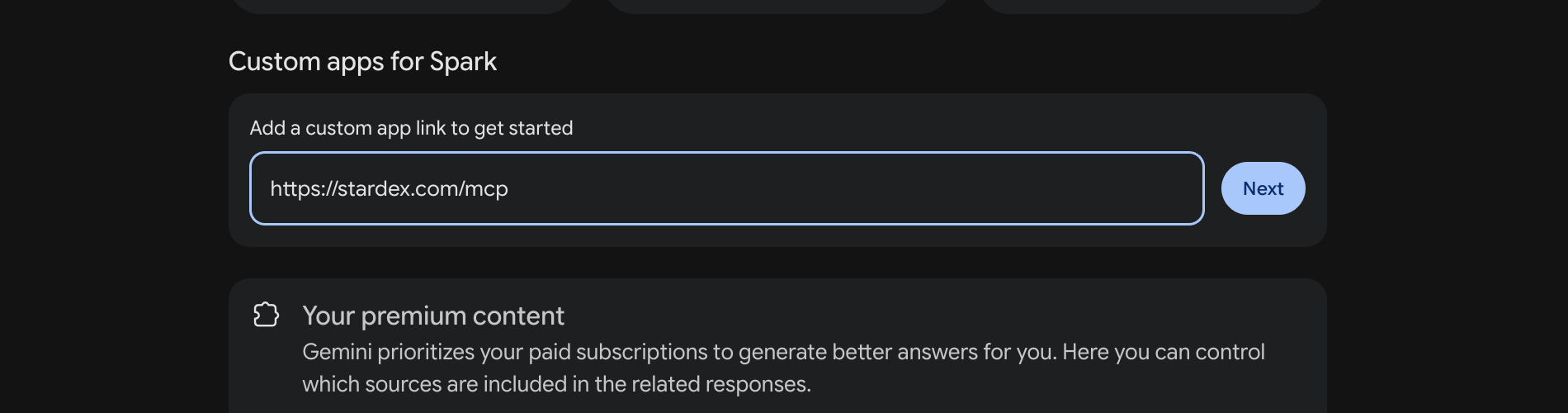
<img src="https://mintcdn.com/stardex/LiN_s-_qZshmFef5/images/help-center/gemini-google-connector/image-1.png?fit=max&auto=format&n=LiN_s-_qZshmFef5&q=85&s=52c14fc36e235b8afc19f54bc1c6a65c" alt="Gemini Google Connector — screenshot 2" width="1900" height="500" data-path="images/help-center/gemini-google-connector/image-1.png" />

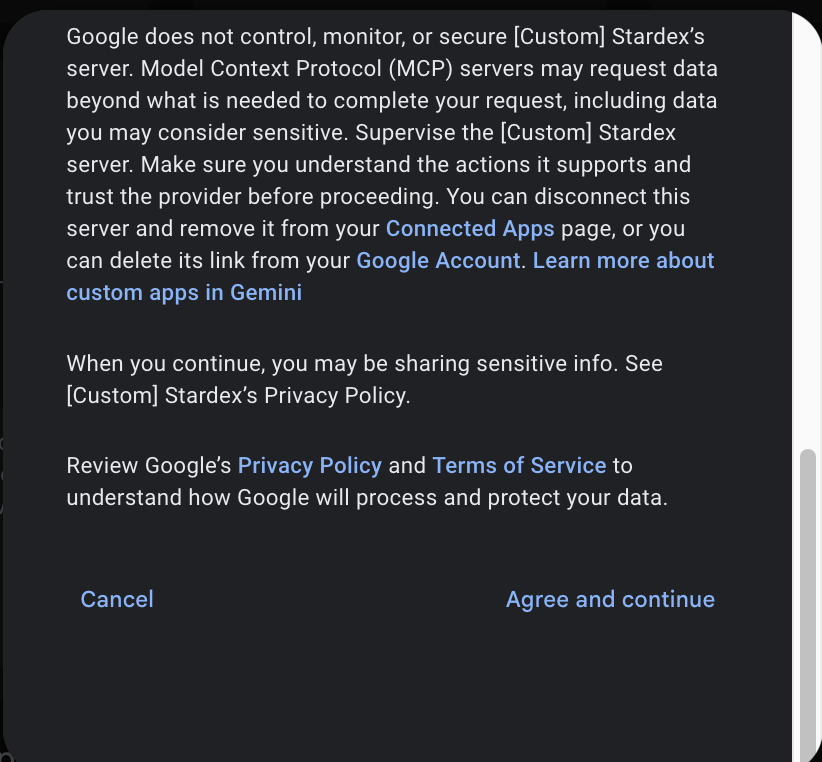
3. Click Next, and click Agree and Continue
<img src="https://mintcdn.com/stardex/LiN_s-_qZshmFef5/images/help-center/gemini-google-connector/image-2.png?fit=max&auto=format&n=LiN_s-_qZshmFef5&q=85&s=73ff33c5ca771e0c8632284ef0d5d9da" alt="Gemini Google Connector — screenshot 3" width="802" height="652" data-path="images/help-center/gemini-google-connector/image-2.png" />

<img src="https://mintcdn.com/stardex/LiN_s-_qZshmFef5/images/help-center/gemini-google-connector/image-3.png?fit=max&auto=format&n=LiN_s-_qZshmFef5&q=85&s=3077fe144262456e19ead30c870d6faf" alt="Gemini Google Connector — screenshot 4" width="822" height="762" data-path="images/help-center/gemini-google-connector/image-3.png" />

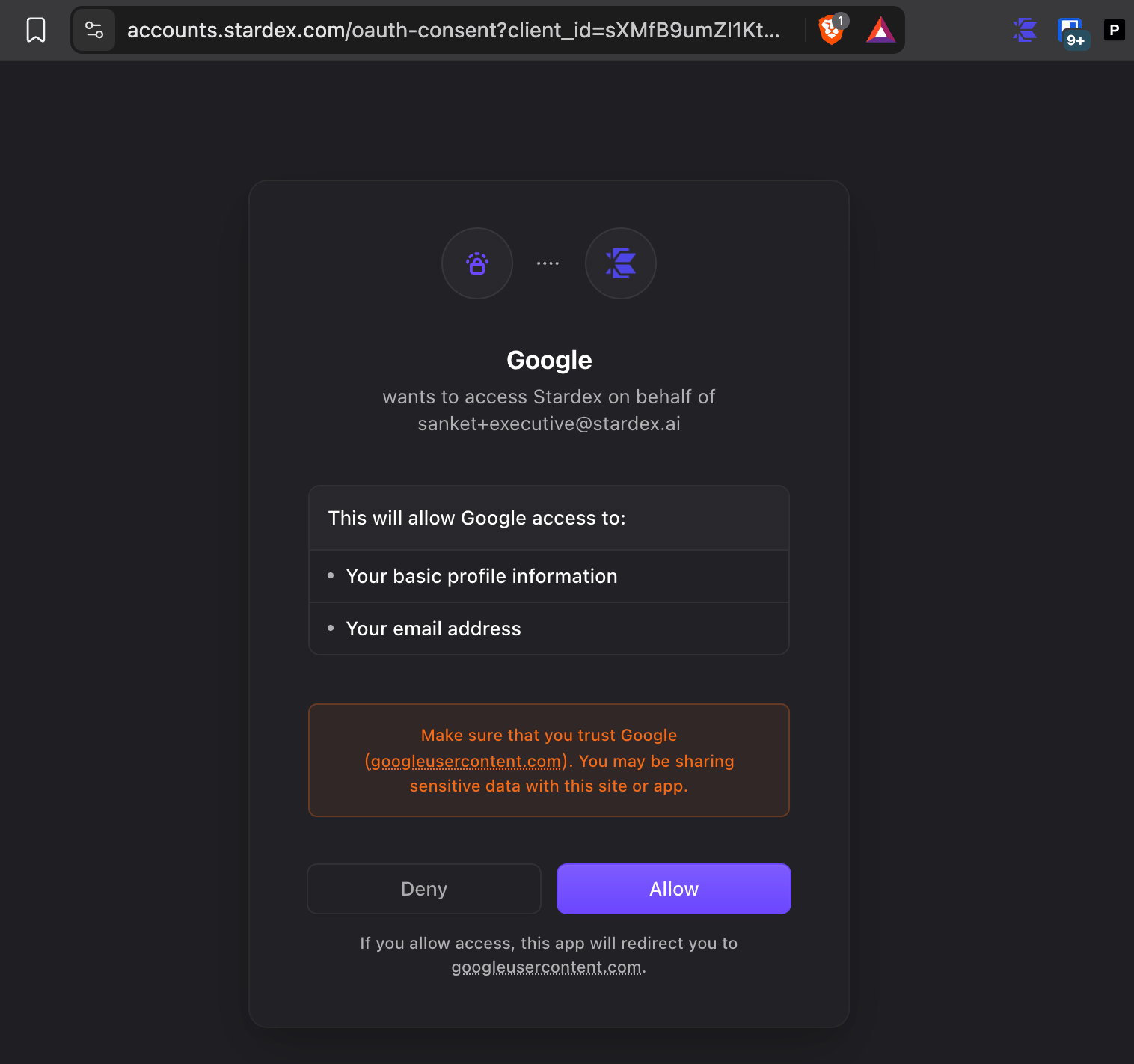
4. It will take you to the Stardex app. Click Allow
<img src="https://mintcdn.com/stardex/LiN_s-_qZshmFef5/images/help-center/gemini-google-connector/image-4.png?fit=max&auto=format&n=LiN_s-_qZshmFef5&q=85&s=a155268c83521f1d886f0340674c5fee" alt="Gemini Google Connector — screenshot 5" width="1516" height="1422" data-path="images/help-center/gemini-google-connector/image-4.png" />

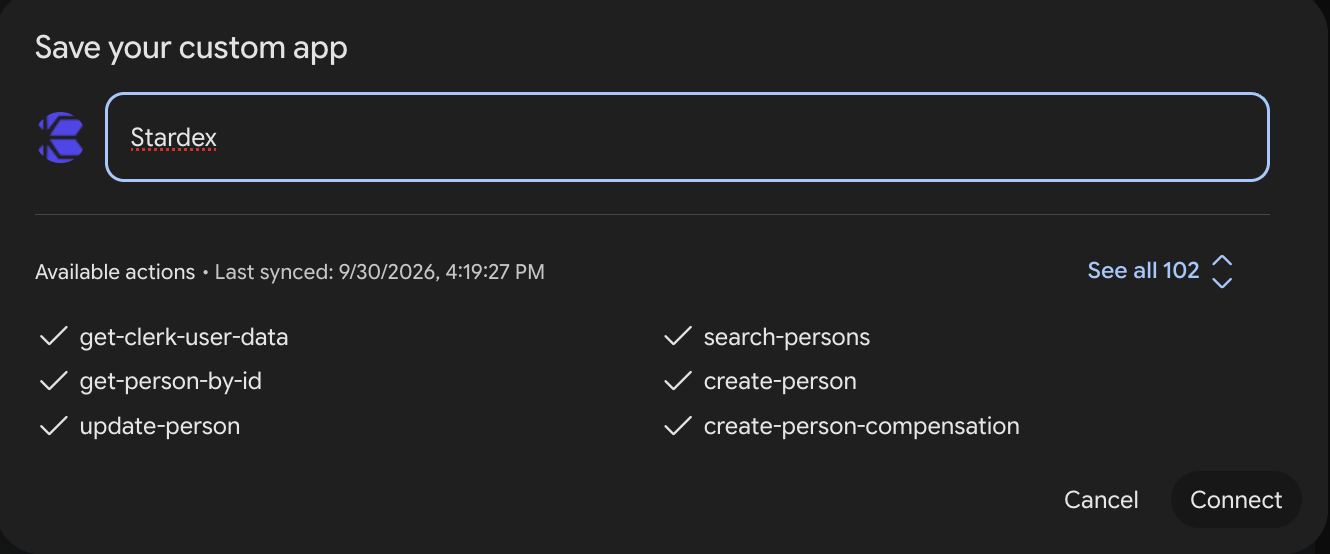
5. Enter Stardex as the name for the custom app, and click Connect
<img src="https://mintcdn.com/stardex/LiN_s-_qZshmFef5/images/help-center/gemini-google-connector/image-5.png?fit=max&auto=format&n=LiN_s-_qZshmFef5&q=85&s=749e59243450c7fc4420a76af295cc27" alt="Gemini Google Connector — screenshot 6" width="1330" height="554" data-path="images/help-center/gemini-google-connector/image-5.png" />

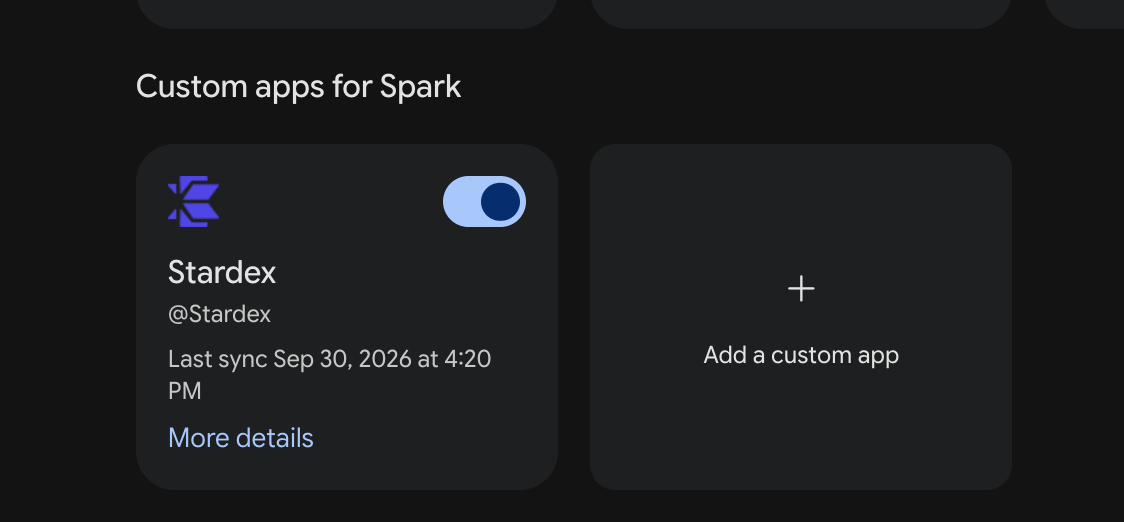
6. Once done, you should see it at the bottom
<img src="https://mintcdn.com/stardex/LiN_s-_qZshmFef5/images/help-center/gemini-google-connector/image-6.png?fit=max&auto=format&n=LiN_s-_qZshmFef5&q=85&s=08c0e2ec7af7184601b2517c68170933" alt="Gemini Google Connector — screenshot 7" width="1124" height="522" data-path="images/help-center/gemini-google-connector/image-6.png" />

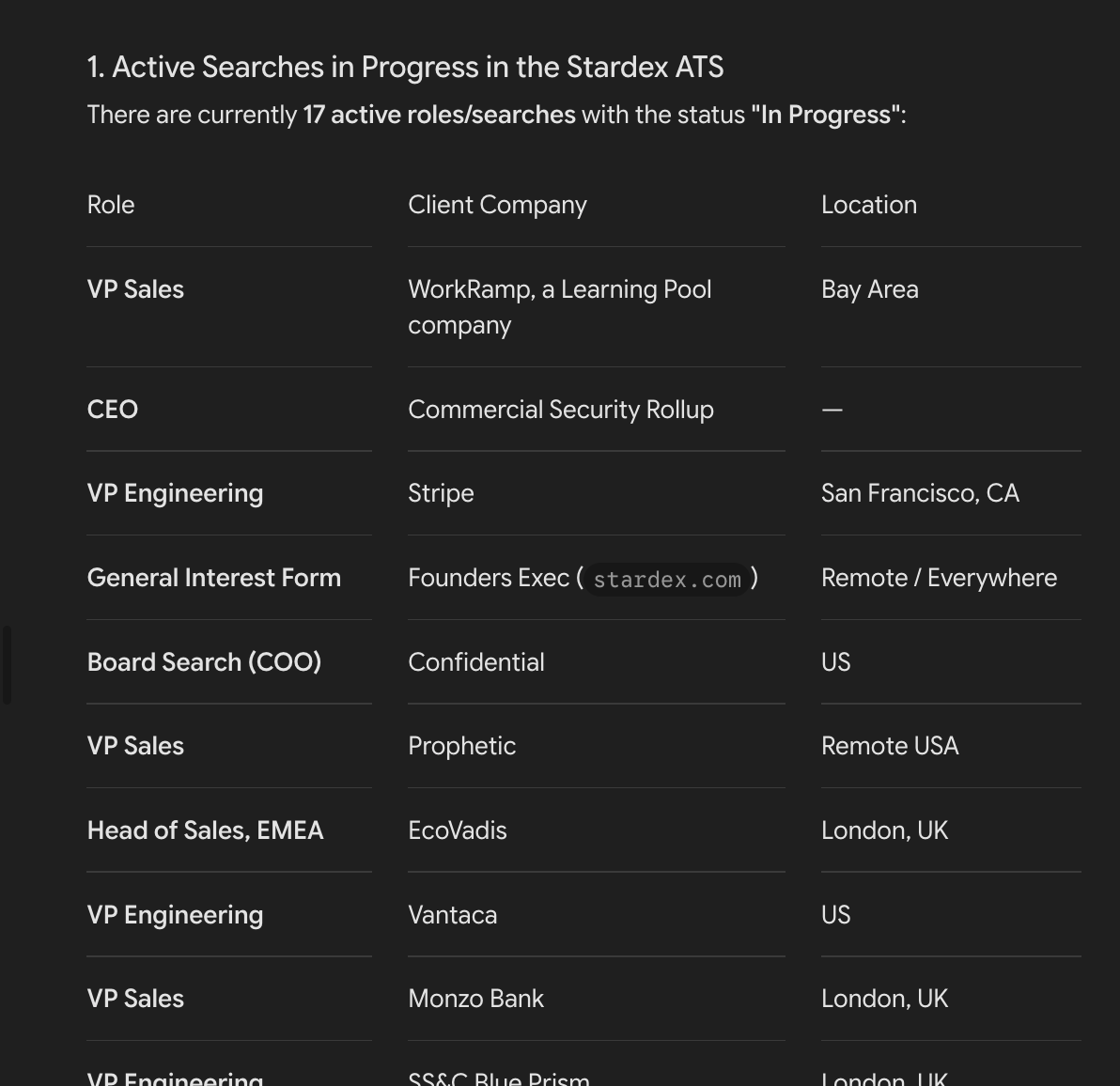
You can now ask it questions about your roles, and candidates in Google Spark mode. Make sure you switch to that to ask the question.
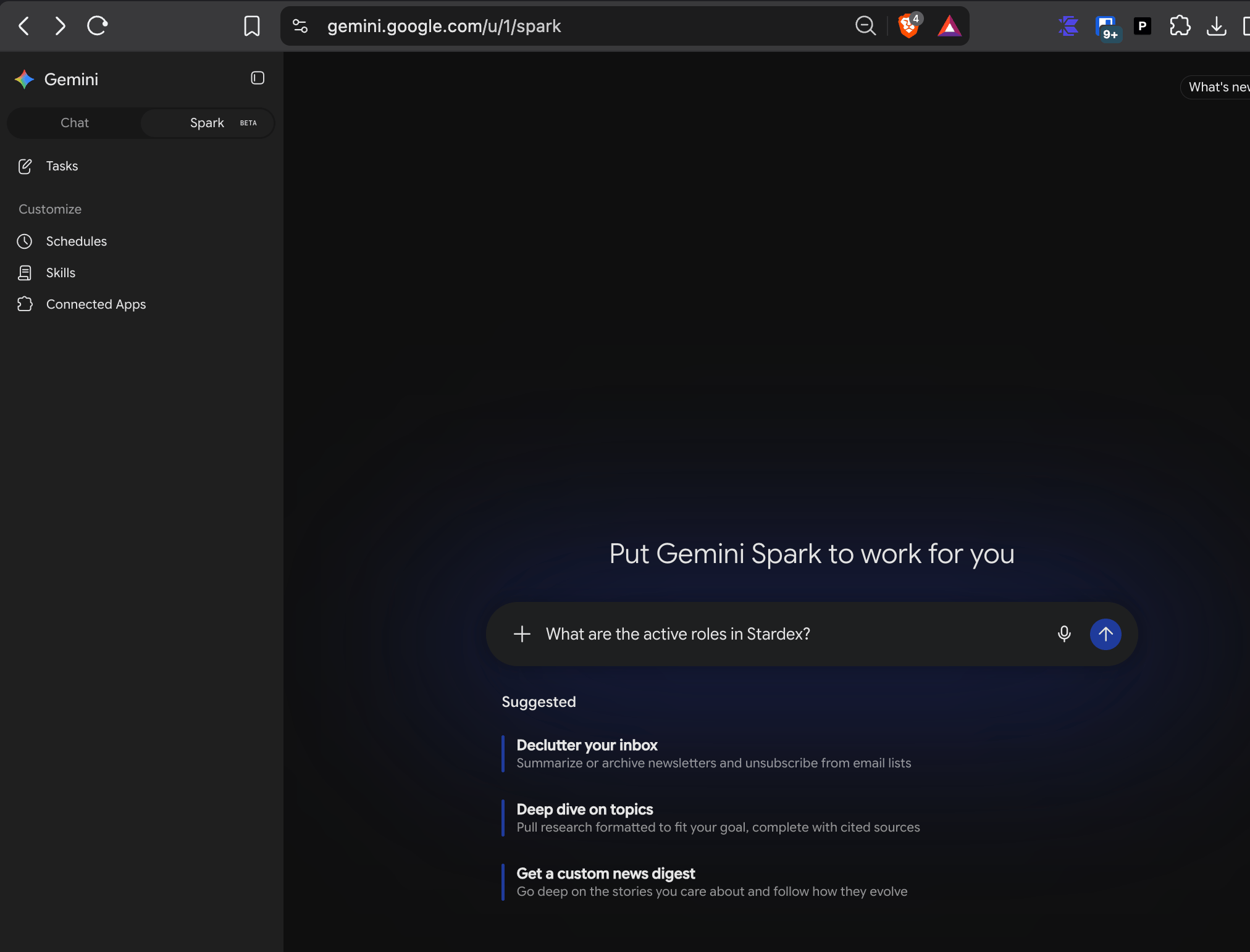
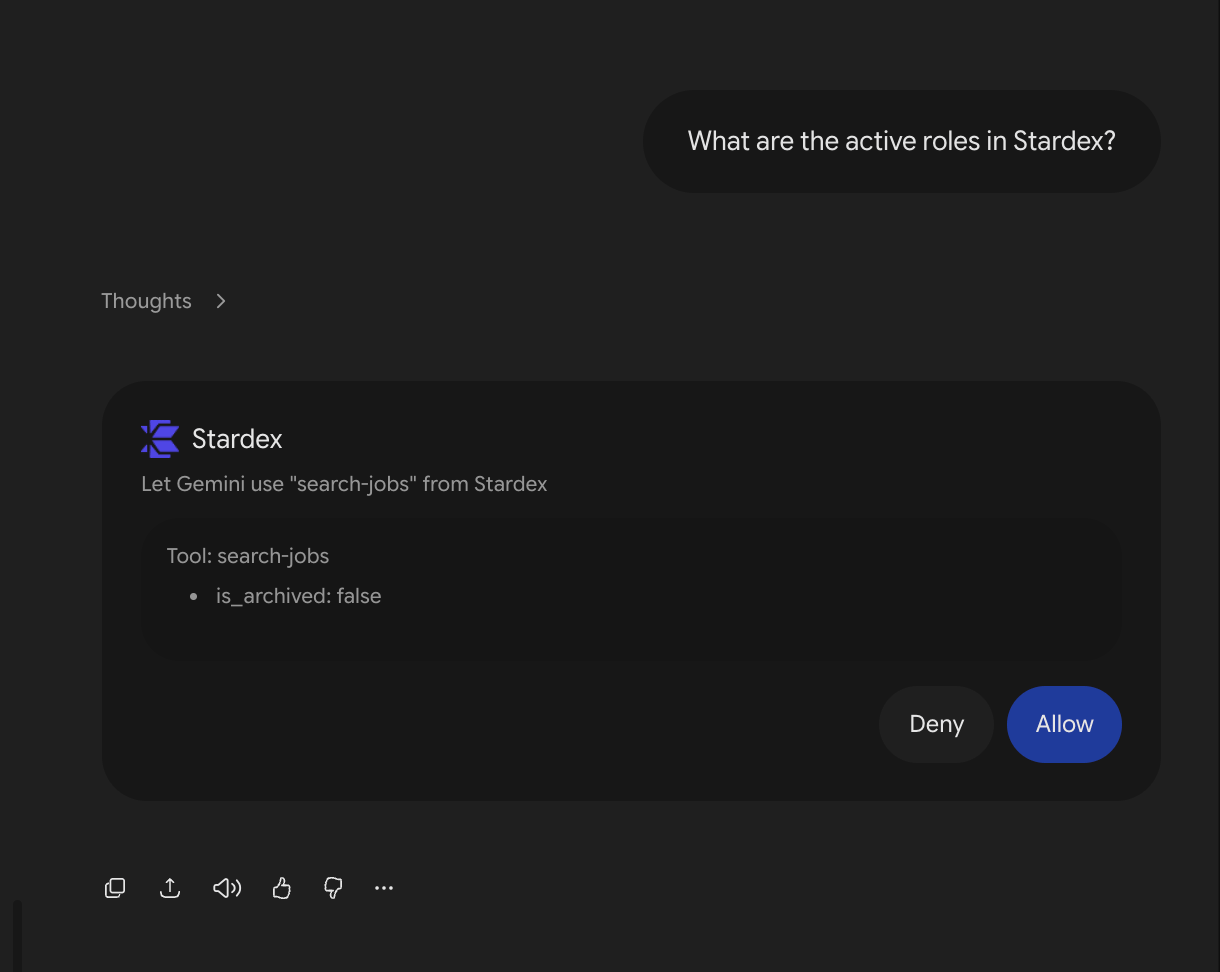
<img src="https://mintcdn.com/stardex/LiN_s-_qZshmFef5/images/help-center/gemini-google-connector/image-7.png?fit=max&auto=format&n=LiN_s-_qZshmFef5&q=85&s=314fdb9242562a70d226229e7992b0ef" alt="Gemini Google Connector — screenshot 8" width="2024" height="1542" data-path="images/help-center/gemini-google-connector/image-7.png" />

<img src="https://mintcdn.com/stardex/LiN_s-_qZshmFef5/images/help-center/gemini-google-connector/image-8.png?fit=max&auto=format&n=LiN_s-_qZshmFef5&q=85&s=a4a3058cb890834e5e0161b9b949867b" alt="Gemini Google Connector — screenshot 9" width="1220" height="972" data-path="images/help-center/gemini-google-connector/image-8.png" />

<img src="https://mintcdn.com/stardex/LiN_s-_qZshmFef5/images/help-center/gemini-google-connector/image-9.png?fit=max&auto=format&n=LiN_s-_qZshmFef5&q=85&s=cffb0ef4f1fdc927f7c8dc89cf138a4b" alt="Gemini Google Connector — screenshot 10" width="1192" height="1156" data-path="images/help-center/gemini-google-connector/image-9.png" />


This documentation is built and hosted on [Mintlify](https://mintlify.com), a developer documentation platform.