> ## Documentation Index
> Fetch the complete documentation index at: https://docs.stardex.com/llms.txt
> Use this file to discover all available pages before exploring further.
# AI variables
> Personalize selected parts of campaign emails with AI variables and instructions tailored to each recipient.
Stardex can help you personalize emails with AI. We don’t recommend having AI write your full email, but rather add 1-2 variables at specific points in the template for AI to fill in. E.g. you can highlight something unique about their work experience, or if you both share a common interest.
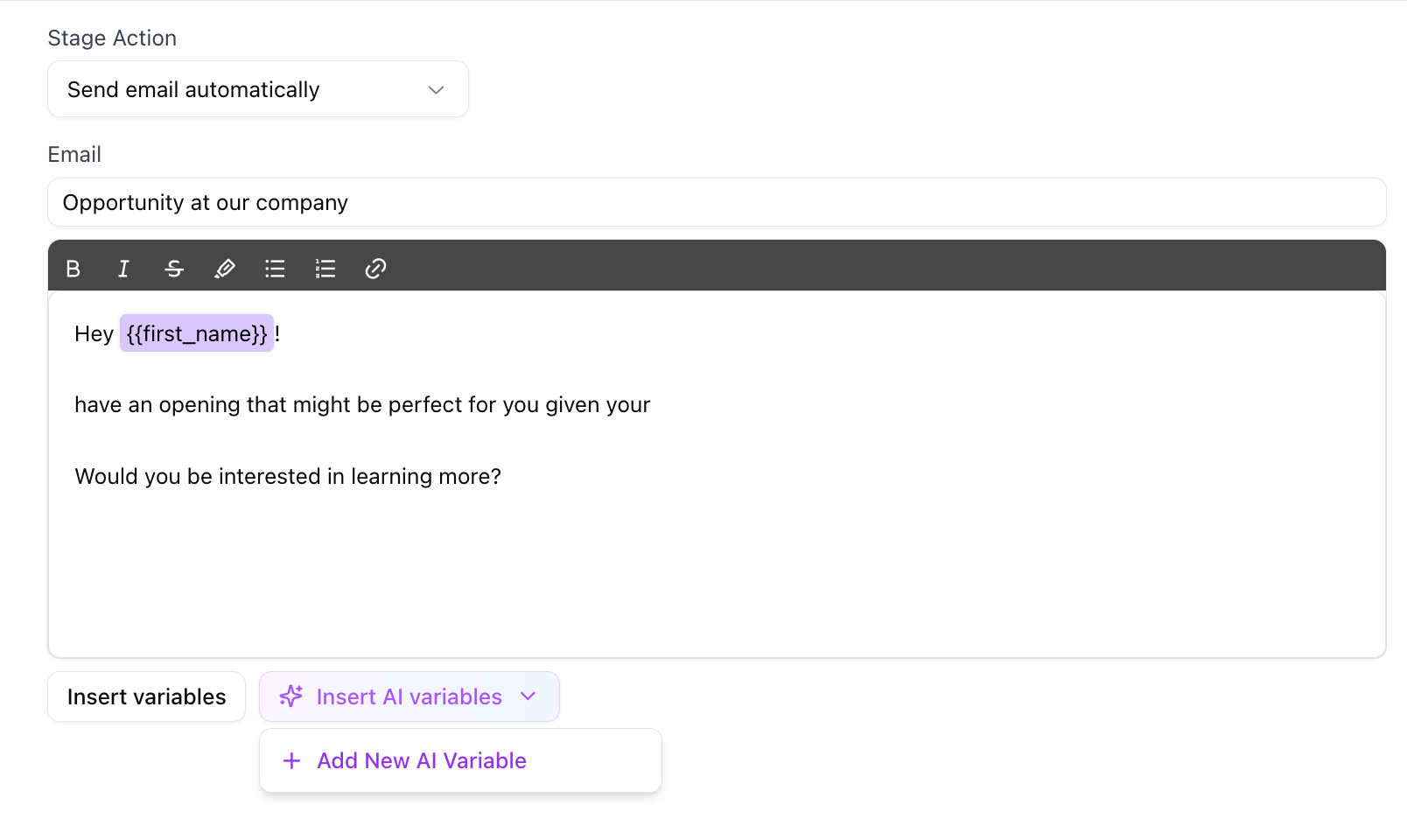
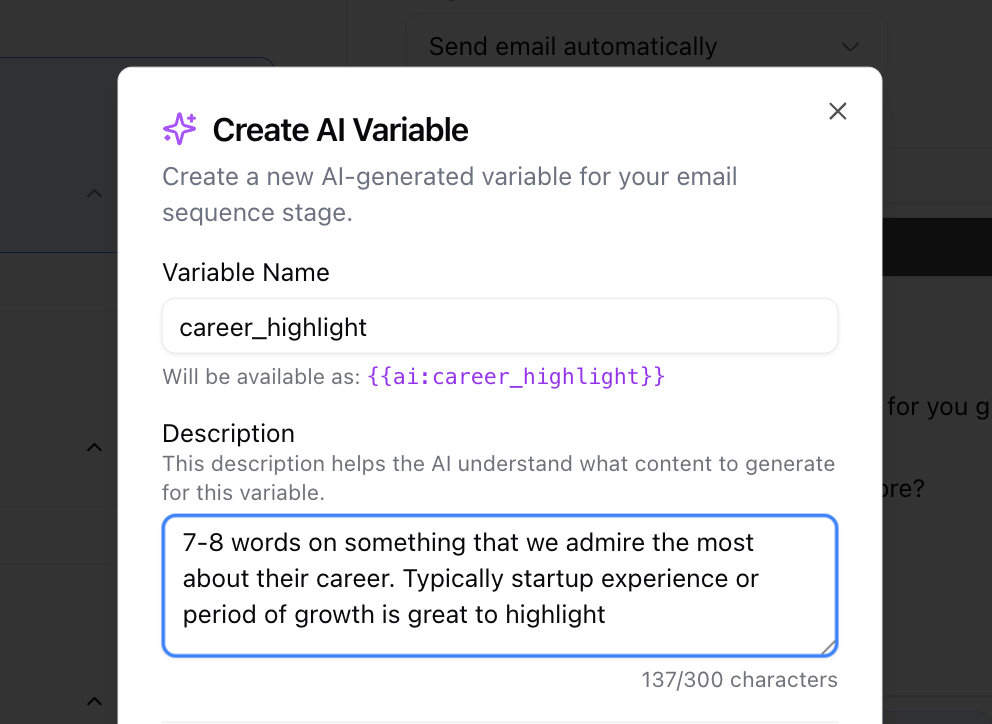
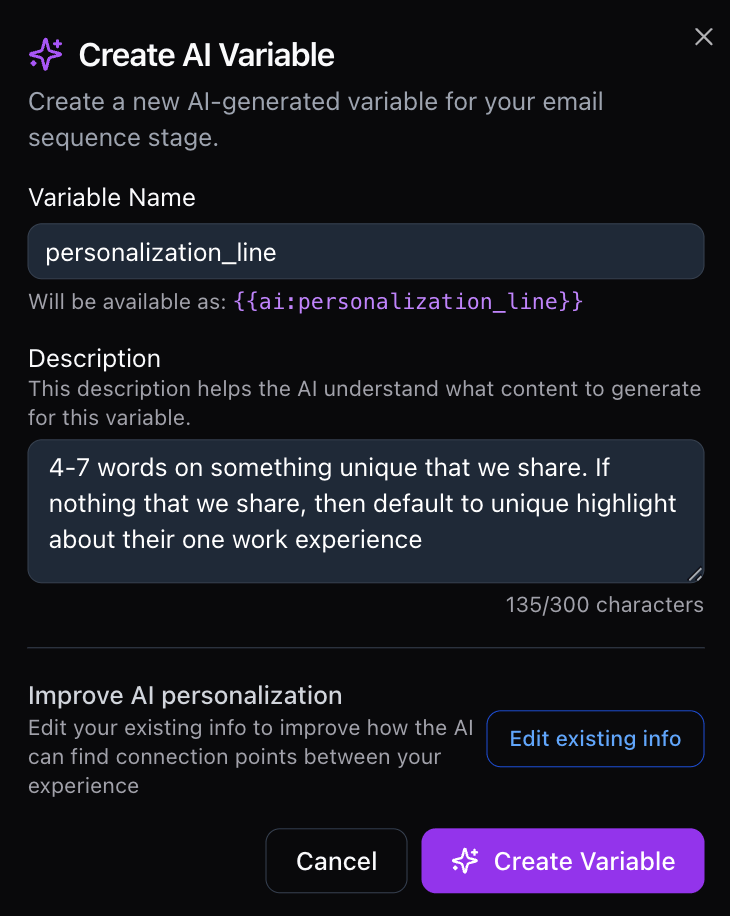
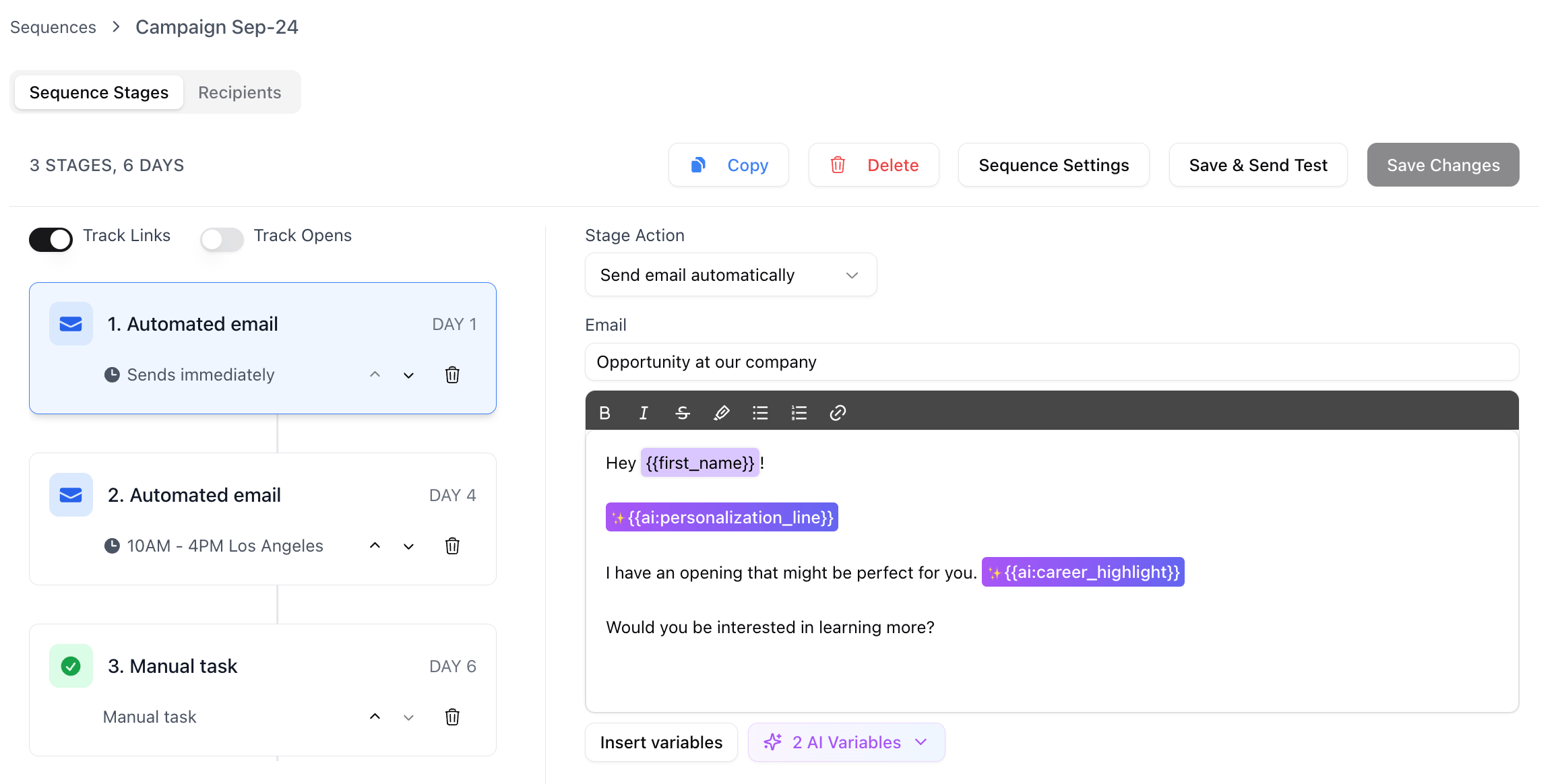 To get started, click Insert AI Variables, and then enter the variable name and a description on what you want the AI to respond with. The more specific you are the better.
* For power users, you can type in `{{ai: variable_name}}` to quickly enter them. To edit the description, you will need to click through the button.
To get started, click Insert AI Variables, and then enter the variable name and a description on what you want the AI to respond with. The more specific you are the better.
* For power users, you can type in `{{ai: variable_name}}` to quickly enter them. To edit the description, you will need to click through the button.
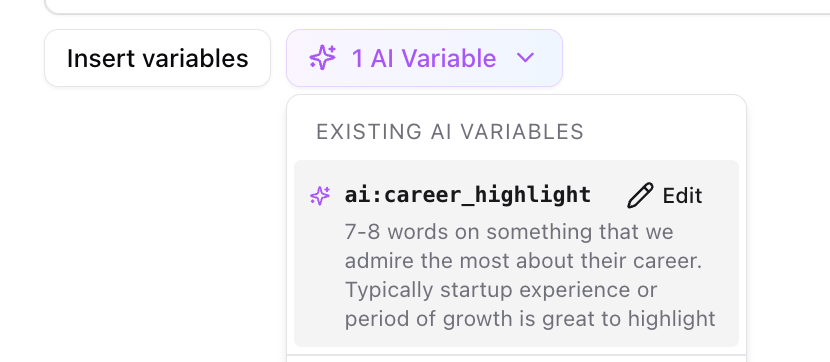
 To edit an existing variable, hover over the variables button and click the edit icon on the variable name
 This will work on bulk enrollment as well!
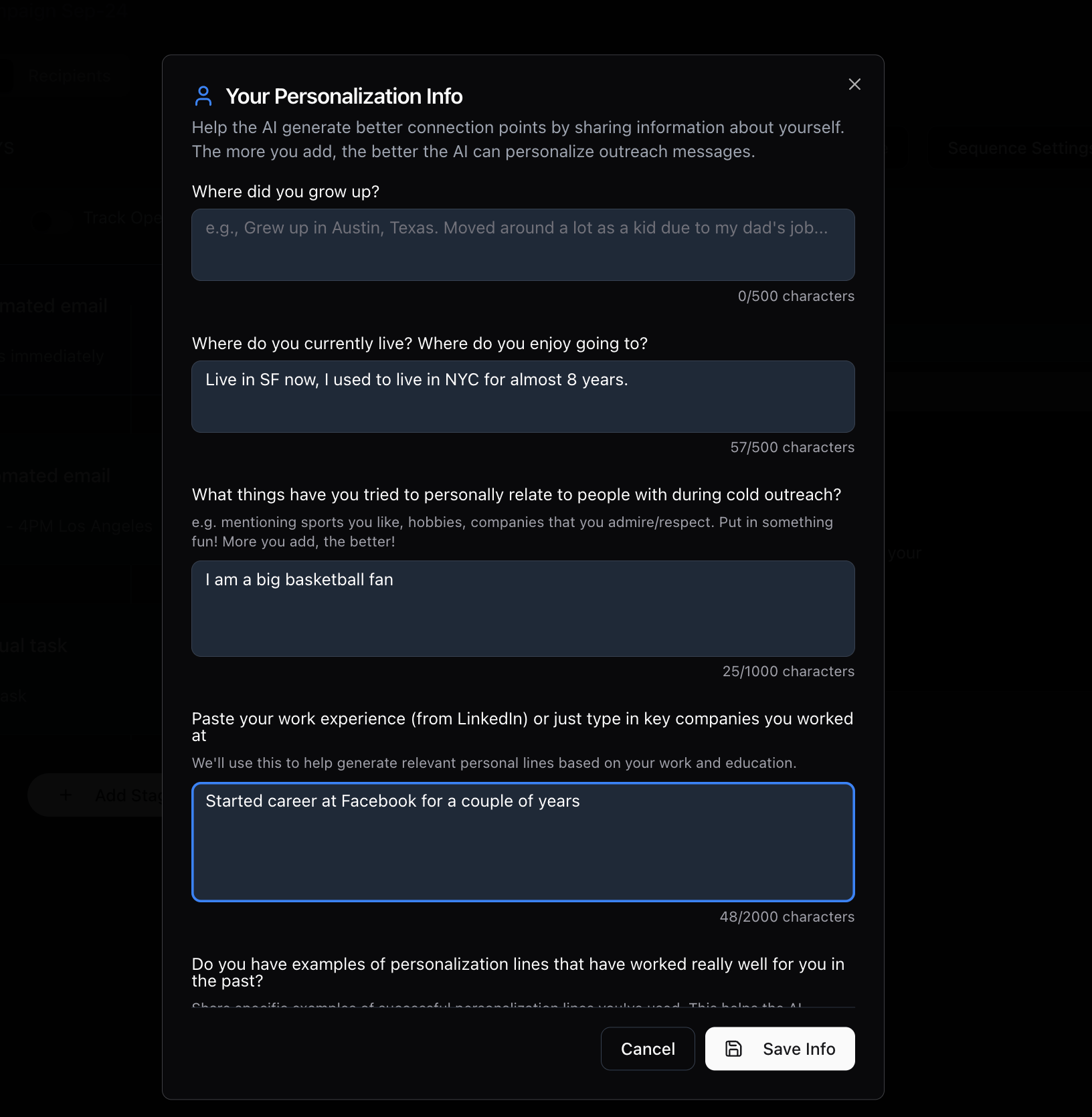
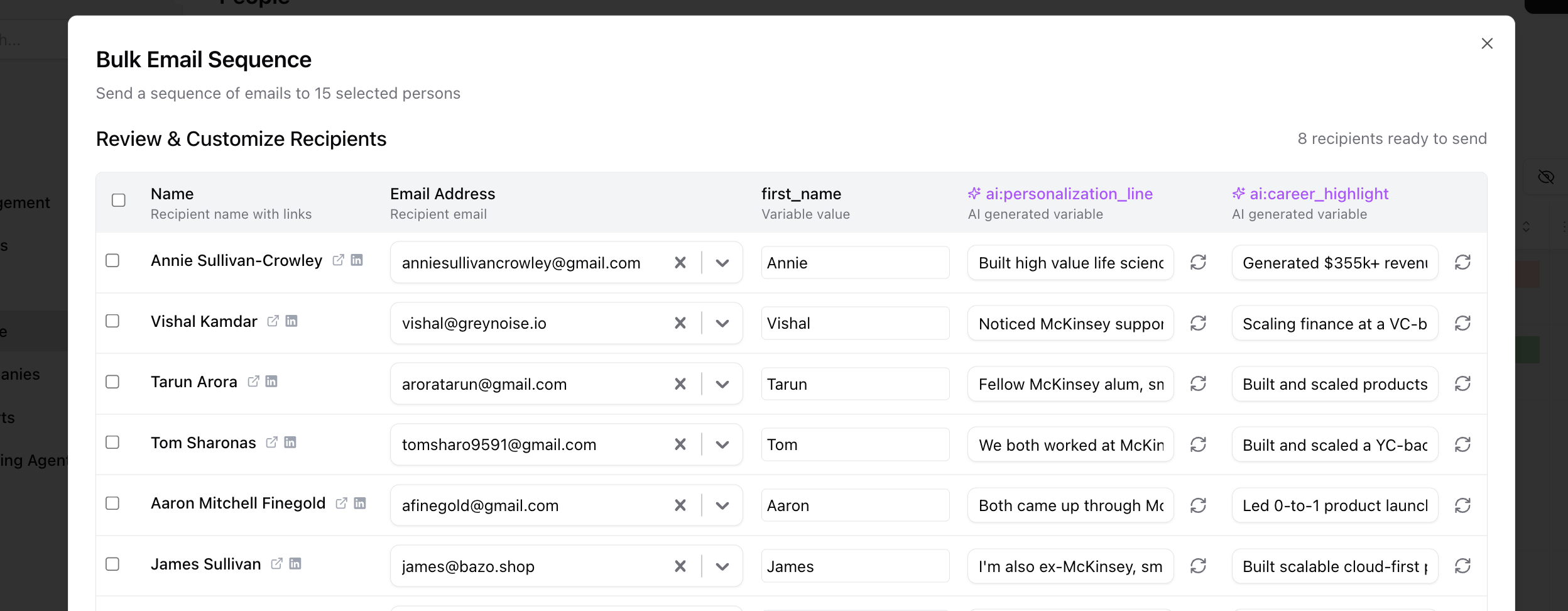 If you would like more personalization, we recommend making sure you add info about you. This way, the AI can find commonalities which improves the response!
Click Edit existing info to add more personalization info. This will then improve the ai responses!
If you would like more personalization, we recommend making sure you add info about you. This way, the AI can find commonalities which improves the response!
Click Edit existing info to add more personalization info. This will then improve the ai responses!
 This documentation is built and hosted on [Mintlify](https://mintlify.com), a developer documentation platform.